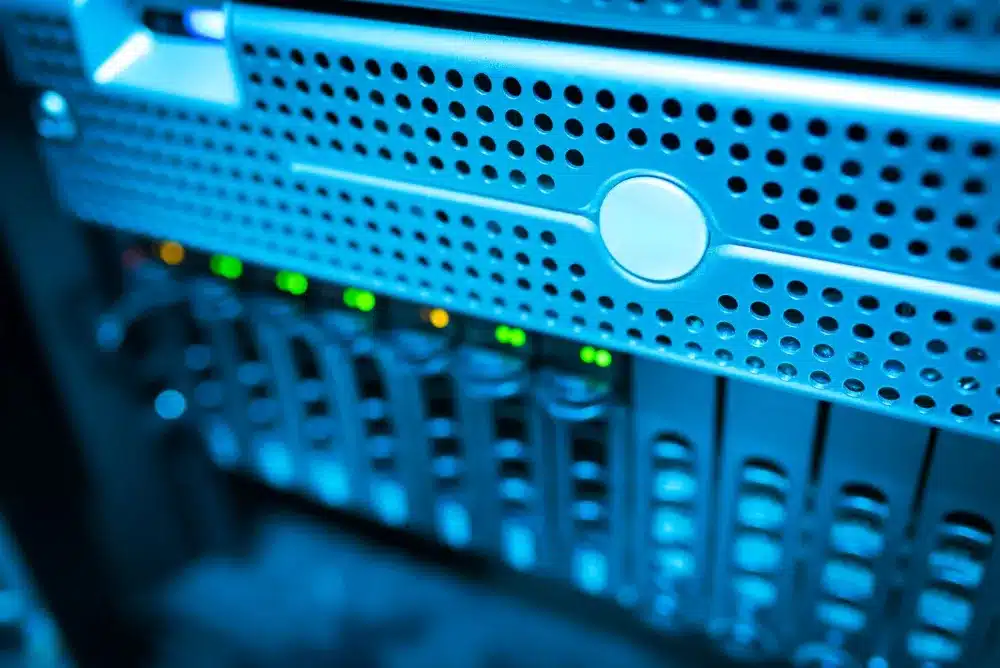
Fingerprint and face recognition terminals are now a common sight at office doors in DIFC. Because the free zone has its own data protection regime, Data Protection Law No. 5 of 2020, a biometric attendance system here is not just a hardware purchase. It is a decision about what staff data you collect, where it sits and who can see it.
Why does biometric attendance need more thought in DIFC?
Because DIFC has its own data protection law, offices inside the free zone usually look at staff fingerprints and face data more carefully than a mainland shop might. Biometric data that identifies a person is generally treated as more sensitive personal data, so the questions about purpose, access and retention come up early.
Many firms around Gate Village and the towers along Sheikh Zayed Road are regulated businesses with a compliance officer or a data protection officer already in place. In our experience that person will want answers to practical questions before the first terminal goes on the wall: does the device store a picture of the fingerprint, who can export the data, and what happens when someone resigns?
We are not lawyers and we do not give legal advice. What we can do is set up the system so those questions have clear, honest answers, and give your compliance team the technical detail they need to complete their own assessment.
Should you use fingerprint, face, card or PIN?
Pick the method that solves your actual problem with the least personal data. If the concern is buddy punching, biometrics help. If you only need door access for a small team, a card or PIN may be enough.
Most modern terminals support several methods at once, so you can offer a card option for anyone who prefers not to enrol a fingerprint. That flexibility is worth asking about when you compare devices.
| Method | What it stores | Where it fits |
|---|---|---|
| Fingerprint | A mathematical template of the print on most devices | Attendance where proxy clocking is a real problem |
| Face recognition | A face template, sometimes with a photo log | Busy entrances and teams who want touch free entry |
| Card or fob | A card number linked to a staff record | Door access and staff who opt out of biometrics |
| PIN code | A code linked to a staff record | Backup entry and small server or store rooms |
What data does an attendance terminal actually store?
Most biometric terminals store a template rather than a full image, plus a log of each clock in and door event. The exact behaviour depends on the model and its settings, so we check it device by device.
A typical setup holds three kinds of data. First, the enrolment data: a template for each finger or face, linked to an employee number. Second, the event log: who used which door at what time. Third, the software database on a PC or server, which pulls logs from the terminals and turns them into timesheets.
The weak point is rarely the terminal itself. It is usually the attendance software sitting on an old reception PC with a shared password, or log exports emailed around as spreadsheets. That is where we focus most of our effort when we set up biometric attendance and access control in Dubai.
Some devices can also keep photo snapshots of each punch. That can be useful for disputes, but it is extra personal data. If you do not need it, we switch it off.
How do we set up a privacy minded attendance system?
We plan the system around your data rules first and the hardware second. The job normally runs in these steps:
- Short call or WhatsApp chat. We talk through doors, headcount, shifts and what HR needs from the reports, and agree a flat rate before any work starts.
- Site visit. We check door types, power, network points and any building management requirements for work on access controlled doors in your tower.
- Method and settings agreed. Together with your HR or compliance lead we decide which methods to enable, whether photo logs stay off, and how long event logs are kept.
- Network placement. Terminals go on a separate network segment or VLAN, away from guest WiFi, with firmware updated and default passwords changed.
- Software install. The attendance software goes on a suitable PC or server with named user accounts, so each admin logs in as themselves and actions can be traced.
- Enrolment. Staff are enrolled in person, with a card or PIN option for anyone who opts out of biometrics.
- Handover. Your admin gets a short written guide covering adding and removing users, running reports and exporting to payroll.
After handover we stay available for remote support, and we can visit again when you add doors or move floors.
How do attendance records reach payroll without loose spreadsheets?
The cleanest route is a scheduled export from the attendance software to a restricted folder that only HR and payroll can open. That replaces the habit of emailing timesheets back and forth.
Most attendance packages can export to CSV or Excel in a layout your payroll tool or accountant can import. We set up the column order to match, test it with a real month of data, and store the exports on a protected share or NAS with proper permissions. If your office already has a properly segmented network, this slots straight in. If not, it is worth reviewing your office network setup at the same time.
Keep the payroll export to the fields payroll actually uses: employee number, name, date, hours and overtime. Templates and photo logs never need to leave the attendance system.
What should you do when a staff member leaves?
Delete their biometric templates and door access on their last day, and keep only the attendance history your policy says you need. This is the step most offices forget.
We usually build a simple leaver checklist into the handover guide: remove the user from every terminal, disable their card, confirm the deletion has synced, and note the date. Older devices sometimes keep a user on one door even after removal in the software, so the checklist includes a quick test at the door.
For historic logs, your retention period is a policy decision for HR and compliance. Once it is set, we configure the software to purge old events automatically where the product supports it, so nobody has to remember.
FAQ
Can a DIFC office use fingerprint attendance at all?
Many offices in DIFC do use fingerprint or face attendance. Because biometric data is treated as sensitive under the DIFC data protection law, your compliance lead should confirm the lawful basis and notices. We handle the technical side, such as limiting stored data, controlling access and deleting templates when staff leave.
Do terminals keep an image of my fingerprint?
Most current terminals convert a fingerprint into a numeric template and store that instead of a picture. Some models can also save photo snapshots of each punch. We check the behaviour of your specific device and switch off any extra logging you do not need before staff are enrolled.
What if an employee does not want to give a fingerprint?
Most terminals support cards, fobs or PIN codes alongside biometrics, so staff who opt out can still clock in and open doors. We enrol them with a card or PIN during setup, and their records appear in the same attendance reports as everyone else.
Can you connect attendance to our payroll software?
Yes, in most cases. We set the attendance software to export in the format your payroll tool or accountant imports, usually CSV or Excel, and save it to a restricted folder. We test the export with real data so the columns match before you rely on it at month end.
Who does the installation and support?
A certified engineer carries out the work onsite, then supports you remotely between visits. You agree a flat rate before work starts, and you can reach us by phone or WhatsApp at any hour on +971 55 822 3165 when a door or terminal stops behaving.
If you are planning a new attendance system or tidying up an old one, start with our access control and biometric attendance service, see how we support offices across DIFC IT services, or read about our founder Muhammad Ahsan and his Cisco and CompTIA certifications.
Keep exploring
Related services
More CCTV, Access Control and Firewall in Dubai
Onsite help across Dubai for the problems that usually come next. Pick a service to see what is included.


 SecurityFortinet Firewall in Dubai MarinaFortinet firewall setup in Dubai Marina. Certified FortiGate install, network security and content filtering, on site.View service
 Swipe for more services
We cover every part of Dubai. See all areas we serve