Dead Wi-Fi spots in the boardroom. A dropped video call right before a client presentation. Staff sharing mobile hotspots because the office network can’t keep up. If any of that sounds familiar, your Palm Jumeirah office almost certainly has a network problem, not just a Wi-Fi problem.
- What Does an Office Network Setup Actually Involve?
- What Do You Get from a Professional Office Network Setup?
- Which Palm Jumeirah Businesses Need This Most?
- How Does the Process Work, from First Call to Finished Setup?
- Professional vs DIY Wi-Fi: What Is the Real Difference?
- What Affects the Cost of an Office Network Setup in Dubai?
- How to Prepare Before the Engineer Arrives
- When Should You Consider an IT AMC After the Setup?
- Questions to Ask Any IT Provider Before You Book
- Need Office Network Setup in Palm Jumeirah? Let's Get It Done
- FAQ
What Does an Office Network Setup Actually Involve?
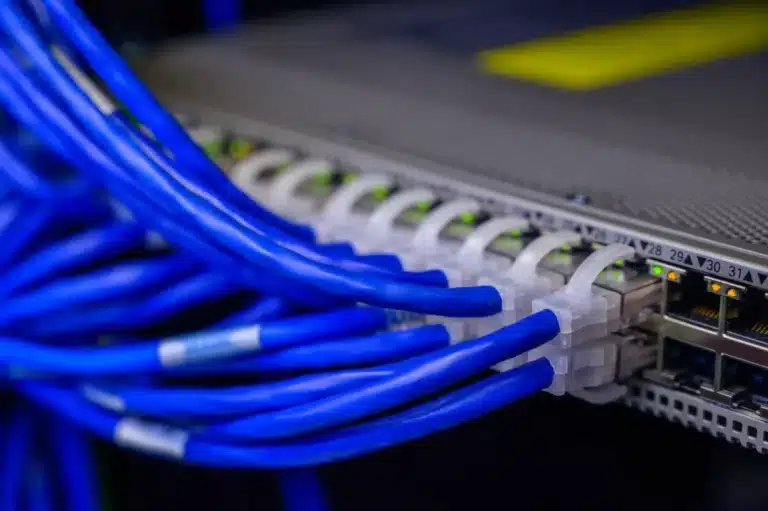
An office network setup is the end-to-end process of designing, supplying, installing, and configuring the technology that connects all your computers, phones, printers, and other devices to the internet and to each other. It is not just installing a router. For a business environment, a proper setup typically includes a managed network switch (the device that connects everything on your local network), one or more commercial-grade Wi-Fi access points, structured Cat6 cabling to carry the signal reliably between floors or rooms, and a firewall or router to protect the connection from your ISP.
Wi-Fi optimisation is the part most offices skip. A single consumer router placed in a back office will not give you even coverage across a 2,000-square-foot space with multiple meeting rooms and a reception area. Channel planning, access point placement, and signal overlap are all engineered deliberately in a properly designed system. Network design that accounts for physical layout, interference sources, and device density is a prerequisite for reliable wireless performance in business environments.
What Do You Get from a Professional Office Network Setup?
Here is what a properly executed office network setup delivers for your business, not just in technical terms but in practical, day-to-day ones:
- Full-coverage Wi-Fi: Strategically placed commercial access points eliminate dead zones, so your team gets a strong signal at every desk, in every meeting room, and even in the lobby near reception.
- Faster, more stable connections: Managed switches and correct cabling mean your team stops fighting for bandwidth, and video calls, cloud applications, and file transfers all run at proper speed.
- Separate networks for guests and staff: A properly configured VLAN (a virtual network inside your physical one) keeps your business data away from visitor devices, reducing security risk without any extra hardware cost.
- A network that scales: A well-designed setup can add new desks, floors, or access points without rewiring everything from scratch, protecting your investment as you grow.
- Less downtime: Commercial-grade equipment and clean cabling simply fail less often than consumer gear pushed beyond its limits, which means your team keeps working instead of waiting for IT to fix things.
Need Office Network Setup in Palm Jumeirah?
Our engineer visits your office, designs the right setup for your space, and has your team connected without disrupting the working day.
Which Palm Jumeirah Businesses Need This Most?
Palm Jumeirah is home to a genuinely varied mix of businesses. You will find real estate agencies and property management firms near Nakheel Mall, boutique retail shops and salons in the residential fronds, hospitality businesses, clinics, and a growing number of professional services firms. Many of these are small or medium-sized offices with between five and fifty staff members, and almost none of them can afford to have their network go down mid-day.
The businesses that most urgently need a properly designed office network setup tend to share a few traits. They rely on cloud-based software such as Microsoft 365 or property management platforms that stream data constantly. They have multiple people on video calls at the same time. Or they operate from a newly fitted-out office and discover that the builder’s basic Wi-Fi router is not up to the job. If your office sits anywhere along the Palm Jumeirah trunk road corridor, from the gateway toward the Atlantis end, the layout of your building almost always demands more than one access point to get full coverage.
How Does the Process Work, from First Call to Finished Setup?
The process is straightforward, and a good IT provider will do most of the thinking for you. Here is how a typical office network setup project runs when you call:
For most small to mid-sized offices, the full installation is completed within a single working day. Larger offices or those needing extensive cabling work may take two days. The work can also be scheduled for evenings or weekends if you cannot afford to disrupt normal business hours.
Professional vs DIY Wi-Fi: What Is the Real Difference?
A lot of business owners start with a consumer router from a local electronics shop and a couple of mesh Wi-Fi extenders. It works, for a while. Then the team grows, the calls start dropping, and the IT frustration begins. Here is an honest comparison of the two approaches:
| Factor | Consumer/DIY Setup | Professional Office Setup |
|---|---|---|
| Coverage design | Guesswork placement | Engineered access point positions |
| Guest isolation | Rarely configured | VLAN separation built in |
| Scalability | Replace everything to grow | Add access points or ports easily |
| Reliability | Consumer-grade, reboots often | Business-grade, continuous uptime |
| Security | Default passwords, no firewall | Firewall, strong passwords, VLAN |
The security point is worth pausing on. A network with default admin credentials and no guest isolation is genuinely risky. Unsegmented business networks, where staff and guest devices share the same subnet, are among the most common entry points for lateral movement during a breach. A professionally configured setup closes that gap from day one. For offices that also want a hardware firewall layer, pairing the network setup with a Fortinet FortiGate firewall installation is a sensible next step.

What Affects the Cost of an Office Network Setup in Dubai?
Cost is always one of the first questions, and it is a fair one. The honest answer is that no two offices are priced the same, because no two offices are the same. A five-person real estate office near the Palm Monorail station with existing cabling in place needs a very different setup to a thirty-person professional services firm spread across two floors near the Golden Mile Galleria, starting from scratch.
The main factors that affect what you will pay:
- Office size and layout: More square footage, more rooms, and unusual shapes like long corridors all increase the number of access points required.
- Number of users and devices: More concurrent connections mean higher-capacity switches and access points.
- Existing cabling: If Cat6 cabling is already in the ceiling, the job is faster and cheaper. If cabling needs to be run from scratch, that adds time and materials cost.
- Equipment tier: Business-grade hardware costs more than consumer gear up front, but typically lasts significantly longer and requires far less intervention.
- Scheduling: After-hours or weekend installations to minimise disruption may carry a premium.
A quick call or WhatsApp message gets you a real quote, not a vague range. You describe your office, and the team gives you a clear figure before any commitment is made.
Get a Wi-Fi Installation Quote for Your Palm Jumeirah Office
Tell us your office size and user count, and we will give you a clear, honest quote with no hidden extras.
How to Prepare Before the Engineer Arrives
A little preparation before the site visit makes the whole process faster and smoother. You do not need to be technical. You just need to know a few basic things about your own office.
Have a rough floor plan ready if you have one, even a hand-drawn sketch of the office layout helps the engineer plan access point positions before walking the space. Know your approximate user count, how many people will be connecting, and whether that includes phones, tablets, laptops, printers, and any smart devices. If you use cloud-based software, mention it: some platforms are more demanding on bandwidth than others, and that shapes the equipment recommendation.
Also think about whether you need a guest Wi-Fi for clients or visitors, whether any areas need wired connections (like a reception desk or a server location), and whether you have plans to grow your team in the next year or two. Designing for your current size and your near-future size at the same time is always more cost-effective than upgrading again in twelve months.
When Should You Consider an IT AMC After the Setup?
Getting the network installed correctly is the first step. Keeping it running well over time is the second. Networks need firmware updates, occasional reconfiguration as your team changes, and someone to call when something unusual happens. An IT AMC (Annual Maintenance Contract) is an annual agreement that covers ongoing maintenance, priority support, and regular health checks for a fixed monthly or annual cost, which makes budgeting far more predictable than paying emergency call-out rates every time something needs attention.
For businesses in Palm Jumeirah and the surrounding areas like Dubai Marina and Al Sufouh, an AMC is particularly useful because it means you have a local engineer who already knows your setup and can respond quickly, rather than explaining your entire infrastructure from scratch every time you call. You can also explore managed IT services if you want a more comprehensive ongoing IT partnership rather than just network maintenance.
Questions to Ask Any IT Provider Before You Book
Before committing to any IT company for your network setup, ask a few straightforward questions. Do they offer a site visit before quoting, or do they give you a number over the phone without seeing the space? Do they supply commercial-grade equipment or consumer hardware at business prices? Will they configure the network security settings, or just install and leave? Do they provide documentation of the setup so you are not dependent on them for basic information? Do they offer ongoing support after the installation is complete?
Good answers to those questions are worth more than a low price. For a deeper look at what to ask, the guide on questions to ask before hiring an IT company covers this topic in practical detail.
Need Office Network Setup in Palm Jumeirah? Let’s Get It Done
Freelance IT Services Dubai provides on-site office network setup and Wi-Fi installation across Palm Jumeirah, from offices near Nakheel Mall to business premises along the trunk road, and throughout the surrounding communities including Dubai Marina, Al Sufouh, JBR, and Dubai Media City. If your Wi-Fi is letting your team down, or you are fitting out a new office and want it done right from the start, we come to you.
The same service is also available across other Dubai areas including Dubai Internet City, Dubai Silicon Oasis, Karama, Hor Al Anz, Jebel Ali, Al Garhoud, and beyond. Just let us know where you are and we will be there.
Book Your Office Network Setup in Palm Jumeirah Today
Call or WhatsApp us to arrange a free site visit. We set everything up on-site, near Nakheel Mall or anywhere across the Palm, and your team stays connected from day one.
FAQ
Keep exploring
- Palm Jumeirah IT Services Dubai
- Office Network Setup Dubai
- Wi-Fi Installation and Optimization Dubai
Related services
More Office Network Setup in Dubai
Onsite help across Dubai for the problems that usually come next. Pick a service to see what is included.


 NetworkingOffice Network Setup in Dubai MarinaOffice network setup in Dubai Marina. Routers, switches, Wi-Fi and cabling planned and installed onsite, so office internet stays quick and stable.View service
  NetworkingOffice Network Setup in Jebel AliOffice network setup in Jebel Ali. Onsite router, switch, Wi-Fi and cabling for reliable warehouse and office internet.View service
  NetworkingOffice Network Setup in Dubai Media CityOffice network setup in Dubai Media City. Onsite routers, switches, Wi-Fi and cabling for fast studio and office internet. Free site visit.View service
 Swipe for more services
We cover every part of Dubai. See all areas we serve