A computer that boots into a corrupted Windows install or a MacBook stuck on a grey screen is not just annoying. For a business on Sheikh Zayed Road, it’s lost billing time, a frustrated employee, and work that still needs to get done. When it hits multiple machines at once, the pressure doubles.
In this guide
- What Do Computer and Laptop Services Actually Cover?
- Windows vs macOS Installation: What’s Actually Different?
- Which Businesses on Sheikh Zayed Road Need This Service?
- From First Call to Finished: How the Process Works
- What Affects the Cost of Computer and Laptop Services?
- How to Prepare Before the Engineer Arrives
- Why Use a Local Sheikh Zayed Road IT Provider?
- Computer and Laptop Services in Sheikh Zayed Road: Let’s Get It Done
- FAQ
Whether you’ve just bought a new laptop, upgraded your office machines, or you’re dealing with a system that’s slowed to a crawl after years of junk files, a proper OS installation is often the fastest and cleanest fix. Let’s walk through what the service actually covers, who it suits, and what you should expect.
What Do Computer and Laptop Services Actually Cover?
Computer and laptop services go well beyond inserting a USB drive and clicking install. A real professional setup means preparing the machine, choosing the right OS edition, configuring it for your business, and handing it back ready to use from day one.
Here’s what you get when you book professional computer and laptop services in Dubai:
- Clean OS installation: A fresh copy of Windows 11, Windows 10, or macOS replaces bloat, malware, and corruption so your machine runs the way it should.
- Driver and hardware configuration: Every device, from the fingerprint reader to the external monitor, is confirmed working before the engineer leaves your desk.
- Software and app setup: Microsoft 365, browsers, printers, VPN clients, and any business software you depend on are installed and tested.
- Data migration: Files, documents, and settings from the old system transfer safely so nothing gets left behind. For more complex moves, a dedicated data migration service handles the heavy lifting.
- User accounts and security baseline: Local or domain-joined accounts are created, passwords set, and basic security options configured so the machine is business-ready from the first login.
Need Computer and Laptop Services in Sheikh Zayed Road?
Our engineer comes to your office near Emirates Towers or the World Trade Centre Metro Station and gets every machine set up and ready to use.
Windows vs macOS Installation: What’s Actually Different?
The two operating systems need different approaches, different tools, and different post-install steps. Get either one wrong on a business machine and you’ve wasted more time than you saved.
| Factor | Windows 10 / 11 | macOS (Latest) |
|---|---|---|
| Typical hardware | Dell, HP, Lenovo, ASUS | MacBook Air, MacBook Pro, iMac |
| Install method | USB bootable media or ISO | Recovery partition or Apple server |
| License needed | Windows product key (OEM or retail) | Apple ID, usually free upgrade |
| Domain joining | Active Directory, Entra ID | Requires additional configuration |
| Common business add-ons | Microsoft 365, antivirus, VPN | Microsoft 365 for Mac, Time Machine |
For Windows machines, a proper install means choosing between Windows 10 Pro and Windows 11 Pro. The Pro editions allow domain joining and group policy management, which matter once you have more than a handful of users. Microsoft’s documentation on Microsoft Learn outlines Windows 11 hardware requirements, including the TPM 2.0 chip that catches out older business laptops. Knowing this before you call means no surprises on the day.
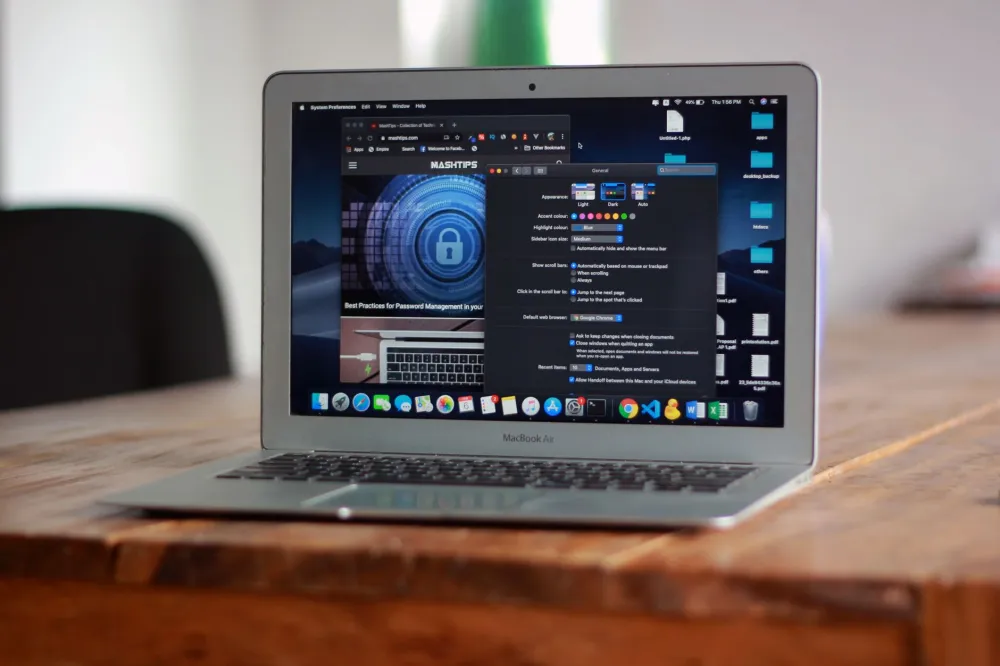
For macOS, it’s different. Apple’s recovery system handles the actual installation, but configuring the machine for a shared office, setting up iCloud business accounts, and making sure Microsoft 365 for Mac runs correctly all need hands-on attention. Our dedicated MacBook and macOS support covers the full scope, and our Windows 10 and 11 installation service page goes into detail on the Windows side.
Which Businesses on Sheikh Zayed Road Need This Service?
Almost any office that relies on computers needs this service at some point. The real question is timing, not whether.
Sheikh Zayed Road is home to trading companies, law firms, real estate offices, consultancies, financial services firms, and SMEs across the Trade Centre area. Many run five to fifty machines. When those machines age, get infected, or when a new hire joins and needs proper setup, you face three choices: do it in-house (rarely goes smoothly), send it to a drop-off shop and wait days, or have a professional come on-site and handle it the same day.
On-site service matters most for offices that can’t afford a whole working day without a key machine. A trading desk near the Trade Centre Roundabout can’t wait three days for a machine to return from a repair shop. A legal firm with confidential files needs data migration handled carefully and securely, not by whoever is free at a walk-in counter.
From First Call to Finished: How the Process Works
Knowing what to expect before you call removes the uncertainty that puts busy managers off booking. Here’s the typical flow for computer and laptop services in Sheikh Zayed Road.

What Affects the Cost of Computer and Laptop Services?
Cost depends on several factors, and anyone quoting a flat price before knowing the details is guessing. The honest answer is that the scope drives the number, and a two-minute call gives you an accurate quote for your specific situation.
The main variables are the number of devices being serviced in a single visit, whether data migration is involved and how much data needs to move, whether software licensing needs to be purchased separately (Windows product keys, Microsoft 365 subscriptions), and whether the job involves domain joining or user account configuration in Active Directory. If you’re running an office and expect to need regular support, an IT AMC (Annual Maintenance Contract) often works out significantly more cost-effective than paying per visit.
Get a Quote for Laptop and Computer Setup Near You
Tell us your device count and what you need. We give you a clear, honest quote before any work begins with no surprises.
How to Prepare Before the Engineer Arrives
A little preparation makes the visit faster and protects your data. You don’t need to be technical to do this, just make sure a few things are ready.
- Know your software list: Write down the applications the machine runs, especially any industry or company-specific software, so nothing gets missed during reinstallation.
- Have your login credentials ready: Microsoft account, Apple ID, company email login, and any domain credentials should be on hand. The engineer will need these to complete setup.
- Back up what you can: Even if the engineer is handling migration, having your own copy of critical files on a USB drive or cloud storage removes all risk. It takes ten minutes and saves a lot of stress if something unexpected happens.
- Confirm your licensing: If you have a Windows product key sticker on the machine or a Microsoft 365 subscription, have the details accessible. For volume-licensed offices, your IT admin or accounts team may have these on file.
One question worth asking any IT provider before they start: do they back up your data before wiping the drive? If the answer isn’t an immediate yes, that’s a warning sign. Any professional handling your machine should treat data preservation as non-negotiable.

Why Use a Local Sheikh Zayed Road IT Provider?
On-site service from a local team is faster, more accountable, and far less disruptive than couriering a machine to a repair centre and waiting. For offices near the Dubai World Trade Centre or a few minutes from the World Trade Centre Metro Station, having an engineer arrive within hours rather than days is a genuine operational advantage.
Freelance IT Services Dubai covers Sheikh Zayed Road and surrounding areas including Trade Centre, DIFC, Downtown Dubai, and Al Satwa. The team works on both Windows and macOS environments, handles corporate and SME setups, and can connect follow-on services like IT support in DIFC or ongoing coverage through a managed IT plan if you want someone to call whenever something goes wrong.
If your office runs a mix of Windows laptops and MacBooks, as many creative agencies, real estate firms, and consultancies along Sheikh Zayed Road do, having a single provider who handles both platforms properly is simpler than managing two separate support relationships.
Most business-grade Windows installations are moving to Windows 11 Pro, and macOS Sequoia is the current stable release for Apple machines. Getting the right version installed matters for software compatibility, security patches, and long-term vendor support. A provider who keeps up with these details saves you from compatibility headaches down the line.
Computer and Laptop Services in Sheikh Zayed Road: Let’s Get It Done
If your team is working on a machine with a broken OS, a laptop that won’t get past the login screen, or a brand-new device that still needs everything set up, the fix is straightforward. You call, we come to your office, we sort it out. No drop-off queues, no waiting, no guessing.
The same service is also available across Dubai including Dubai Media City, Al Muteena, Downtown Dubai, JVC (Jumeirah Village Circle), Dubai Hills, Dubai South, and the wider city, so wherever your office is, we can reach you.
For teams near the Sheikh Zayed Road corridor, we’re close, we’re on-site, and we’re ready to help. Browse the full range of IT services at freelanceitservicesdubai.com to see what else we cover for your office.
Book Computer and Laptop Services in Sheikh Zayed Road Today
Whether it’s a Windows 11 reinstall, a macOS setup, or a batch of new office laptops near the Dubai World Trade Centre, we handle it on-site and hand it back ready to use.
FAQ
Keep exploring
- Sheikh Zayed Road IT Services Dubai
- Computer & Laptop Services Dubai
- Windows 10 & 11 Installation Dubai
Related services
More Computer and Laptop Services in Dubai
Onsite help across Dubai for the problems that usually come next. Pick a service to see what is included.
 Laptop and PCComputer & Laptop Services in JLTNeed on-site Computer & Laptop Services in JLT? We set up desktops and printers near Almas Tower.View service


Swipe for more services
We cover every part of Dubai. See all areas we serve