
Blue Screen Fix Services in Dubai
Experiencing a blue screen of death (BSOD) on your Windows laptop or desktop? This critical system error can halt your work and cause frustration. At Freelance IT Services Dubai, we provide fast, affordable blue screen diagnosis and repair services across all Dubai areas including Downtown Dubai, Business Bay, Deira, JLT, Dubai Marina, and beyond. Our expert technicians resolve BSOD errors quickly so you can get back to productivity. What is the Blue Screen of Death (BSOD)? Contact Us For IT Support The Blue Screen of Death, commonly known as BSOD, is a critical system error screen in Windows operating systems that indicates your computer has encountered an issue it cannot recover from. When this happens, Windows automatically shuts down to prevent potential hardware damage. The blue screen displays error codes and messages that help technicians diagnose the root cause. Understanding what triggers a BSOD is essential for prevention and timely repair. This error can occur on Windows 7, Windows 10, Windows 11, and all other versions. Whether you’re running a laptop, desktop, or server system in Business Bay, Karama, or any other Dubai location, a BSOD requires immediate professional attention to avoid data loss. Common Causes of Blue Screen Errors in Dubai Several factors can trigger a blue screen error. Understanding these causes helps our Dubai IT support team diagnose and fix your system quickly. Hardware Failures One of the most common causes is failing hardware components. Faulty RAM (memory), a degraded SSD or hard drive, overheating processors, or defective motherboards can all trigger blue screen errors. At Freelance IT Services Dubai, we perform comprehensive hardware diagnostics to identify failed components. If you’re in Silicon Oasis, Mirdif, or Al Barsha, we can conduct RAM and SSD upgrades to replace damaged parts, improving your system’s stability and performance. Driver Issues Outdated or corrupted device drivers are frequent BSOD culprits. Drivers control communication between Windows and your hardware. When a driver crashes, the entire system can become unstable. Our technicians update all system drivers—graphics drivers, network drivers, chipset drivers, and more—to resolve compatibility issues and restore system stability. Software Conflicts & Malware Incompatible software installations or malware infections frequently cause BSOD errors. Recently installed applications may conflict with Windows system files. Malware and viruses corrupt critical Windows components, triggering system crashes. Our Dubai IT support team performs thorough malware scans and safely removes problematic software to restore your system’s health. Windows Updates & System Issues Incomplete or failed Windows updates can leave your system unstable. Corrupted system files or registry errors also cause BSOD crashes. Our technicians perform clean Windows installations, repair corrupted files, and ensure all updates are properly installed for system stability. Overheating & Power Supply Problems Dubai’s hot climate makes overheating a serious concern. Dust accumulation in cooling fans prevents proper heat dissipation, causing system crashes. Faulty power supply units also trigger BSOD errors. We provide professional laptop and desktop cleaning services, thermal paste reapplication, and power supply diagnostics across Downtown Dubai, Al Rigga, International City, and other Dubai areas. Our Blue Screen Fix Process Our systematic approach ensures complete diagnosis and resolution of BSOD errors. Here’s how we handle blue screen repairs at Freelance IT Services Dubai: Step 1: Complete System Diagnosis We start by analyzing blue screen error codes and running comprehensive diagnostics. Our technicians check hardware components, test RAM, scan the hard drive or SSD for errors, and review system logs. This thorough diagnostic process identifies the exact cause of your BSOD. Step 2: Hardware Testing & Repairs If hardware is the culprit, we test each component individually. We perform RAM upgrades with high-quality memory modules, SSD upgrades to replace failing hard drives, and thermal solutions to address overheating. Our clients in JVC, Mirdif, and JLT benefit from our fast hardware replacement services. Step 3: Driver Updates & Software Resolution We update all outdated drivers and remove conflicting software. Our technicians perform full system scans for malware and viruses, eliminating threats that cause BSOD errors. We also repair corrupted Windows files using built-in system tools. Step 4: Windows Repair & Optimization If Windows itself is corrupted, we repair or reinstall Windows while preserving your data. We also optimize system settings to prevent future BSOD errors. Our professionals ensure Windows installation includes proper software setup—Microsoft Office, Outlook, and other essential applications. Step 5: Data Backup & System Testing Before repairs, we back up your important files. After fixing the blue screen issue, we perform extensive testing to ensure stability. We run stress tests, driver compatibility checks, and monitor system performance to confirm the BSOD is completely resolved. Blue Screen Services We Offer Our comprehensive IT support services address all aspects of blue screen errors and related system issues across Dubai: Windows Installation & Setup We perform clean Windows 7, Windows 10, and Windows 11 installations with proper driver configuration and security updates. RAM & SSD Upgrades Upgrade your laptop or desktop with high-speed RAM and faster SSDs to improve performance and prevent memory-related BSOD errors. Screen Replacement If your display is damaged, we replace laptop and desktop screens with quality replacements. Software Installation & Configuration We install Microsoft Office, Outlook, and other essential software with proper licensing and setup. Network & WiFi Setup Proper network configuration prevents connectivity issues that can trigger system errors. We configure routers and network settings for stable connections. Data Backup Solutions Protect your files with automated backup solutions and cloud storage setup, ensuring data safety in case of system failure. Security Setup We configure firewalls, antivirus solutions, and security settings to prevent malware that causes BSOD errors. Why Choose Freelance IT Services Dubai for Blue Screen Repairs? When you need blue screen fix services in Dubai, trust the experts who understand local IT challenges: Fast Same-Day Service We understand that system downtime costs you productivity and money. Our technicians provide quick diagnostics and repairs, often completing blue screen fixes on the same day across Downtown Dubai, Business Bay, Deira, and other areas. Expert Technicians Our team has extensive experience diagnosing and
Windows 11 Upgrade Services in Dubai
Professional Windows 11 upgrade, installation, and migration services across all Dubai areas from Downtown Dubai to Silicon Oasis and beyond Professional Windows 11 Upgrade Services in Dubai Connect Us For IT Support Windows 11 represents the future of computing, offering enhanced security, improved performance, and a modern user interface that transforms your digital experience. At Freelance IT Services Dubai, we provide comprehensive Windows 11 upgrade and installation services throughout Dubai, including Downtown Dubai, Business Bay, Deira, Bur Dubai, Al Rigga, and all surrounding areas. Whether you’re upgrading a single laptop in Al Barsha, modernizing an entire office network in JLT, or implementing Windows 11 across multiple locations in Dubai Marina, we handle the complete upgrade process with precision and care. Our certified IT technicians ensure a smooth transition from older Windows versions to Windows 11, preserving your data, applications, and configurations while providing you with a secure, modern operating system. We understand that upgrading your operating system is a significant decision. Windows 11 isn’t just a cosmetic update—it’s a fundamental shift in how your computer operates, with improved performance, advanced security features, and better integration with modern hardware and software. For professionals and businesses across Dubai, from startups in Silicon Oasis to established enterprises in Downtown Dubai and Business Bay, a professional upgrade ensures you gain all the benefits without disruption to your operations. Understanding Windows 11 and Its Advantages Windows 11 is Microsoft’s latest operating system, released in 2021, and represents a complete redesign of the Windows experience. Built on a modern kernel architecture, Windows 11 delivers superior performance, enhanced security through hardware-level protections, and a streamlined user interface designed for productivity and efficiency. Key Features and Improvements Advanced Security Architecture Windows 11 introduces Trusted Platform Module (TPM) 2.0 as a core requirement, providing hardware-based security that prevents malware at the firmware level. Secure Boot technology prevents unauthorized operating systems from loading, protecting your system from boot-level threats. For businesses in Karama, Mirdif, and Dubai Marina handling sensitive data, these security improvements are essential. Virtualization-Based Security (VBS) isolates critical system processes, creating protected regions where malware cannot execute, even if it gains administrative access. Superior Performance and Efficiency Windows 11 is optimized for modern processors, delivering faster boot times, quicker application loading, and improved overall responsiveness. The operating system intelligently manages system resources, allocating computing power where it’s needed most. For professionals in Al Nahda, JVC, and International City who depend on fast, reliable systems, this performance improvement translates to increased productivity. The new design reduces unnecessary background processes, extending battery life for laptop users across Dubai. Modern User Interface The redesigned Windows 11 interface features a centered Start menu, updated taskbar, and fluent design elements that provide a cleaner, more intuitive experience. Windows Snap Layouts allow you to organize multiple windows with a single click, dramatically improving multitasking for professionals in Business Bay and Silicon Oasis. The integration with Microsoft Teams, cloud services, and modern applications creates a seamless, connected computing environment. Enhanced Gaming and Graphics DirectStorage technology enables faster game loading and improved graphics performance. For content creators in Deira and businesses in Downtown Dubai using graphics-intensive applications, DirectX 12 Ultimate support delivers superior visual quality and smoother performance. Improved Connectivity and Integration Windows 11 better integrates with cloud services, mobile devices, and IoT devices. Improved Bluetooth connectivity, faster WiFi support, and native Android app integration (through the Microsoft Store) create a truly connected ecosystem. For distributed teams across Dubai—from Mirdif to Dubai Marina—this connectivity enhancement streamlines collaboration. Who Should Upgrade to Windows 11? Ideal Candidates for Windows 11 Upgrade Professionals and Businesses If you’re running Windows 10, Windows 8, or older versions, upgrading to Windows 11 provides significant benefits. Businesses in Downtown Dubai, Business Bay, and JLT that require modern security features and improved performance should prioritize upgrading. The extended support for Windows 11 (currently through 2031) ensures your systems remain secure and supported for years to come. Content Creators and Designers Professionals in Al Barsha, Silicon Oasis, and Dubai Marina working with video, graphics, or audio benefit tremendously from Windows 11’s improved GPU support, faster storage access, and superior performance. DirectStorage and advanced graphics capabilities enable smoother workflows and faster rendering. Remote Workers and Distributed Teams For professionals working from home in Al Nahda, offices in Karama, or shared spaces in International City, Windows 11’s enhanced connectivity, improved Teams integration, and superior security make it the ideal platform for modern work arrangements. Students and Educational Institutions Educational organizations across Dubai benefit from Windows 11’s improved performance, security, and intuitive interface. Students gain skills on the platform they’ll use in professional environments after graduation. Gaming and Multimedia Enthusiasts If you use your computer for gaming, video editing, music production, or multimedia work, Windows 11’s gaming features, DirectStorage support, and improved graphics processing deliver superior performance compared to older Windows versions. Hardware Compatibility Considerations Windows 11 has specific hardware requirements that differ from Windows 10. Most modern computers from 2018 onwards easily meet these requirements. However, some older systems may require hardware upgrades to be compatible. Our technicians throughout Dubai assess your current hardware and recommend necessary upgrades—whether it’s adding TPM 2.0, upgrading RAM, or replacing mechanical drives with SSDs. Windows 11 Upgrade Process We Provide Pre-Upgrade Assessment and Planning Before upgrading any system, our technicians in Downtown Dubai, JLT, Dubai Marina, and across all Dubai areas perform a comprehensive assessment of your current system. This includes: Hardware Compatibility Check We verify your processor, motherboard, RAM, storage, and other components meet Windows 11 requirements. For systems in Business Bay and Silicon Oasis, we assess whether TPM 2.0 is available (either built-in or as an upgradeable module). We provide detailed compatibility reports explaining what’s compatible and what may need upgrading. Software and Application Inventory We catalog all installed applications, drivers, and configurations to ensure compatibility with Windows 11. Some older software may require updates or may have limited functionality on Windows 11. We identify potential issues before they become problems, providing solutions such as software updates, compatibility
Windows OS Repair Services in Dubai
Professional Windows os repair, troubleshooting, and optimization services across Dubai areas, from Downtown Dubai to Silicon Oasis Professional Windows os Repair Services in Dubai Contact Us For IT Support Your Windows operating system is the backbone of your business and personal computing. When it fails whether due to malware, corrupted files, driver issues, or hardware incompatibility, your entire workflow stops. At Freelance IT Services Dubai, we provide comprehensive Windows os repair and troubleshooting services throughout Dubai, including Downtown Dubai, Business Bay, Deira, Bur Dubai, Al Rigga, and all surrounding areas. We understand that Windows problems can be frustrating and costly. Our certified IT technicians diagnose and resolve issues quickly, getting you back to productivity with minimal downtime. Whether you’re in International City, JLT, Dubai Marina, or Mirdif, we provide fast, reliable Windows repair solutions tailored to your specific needs. Understanding the Windows Operating System Windows is a graphical operating system developed by Microsoft that powers millions of desktops, laptops, and servers worldwide. Since its first release in 1985, Windows has evolved through multiple versions, including Windows 7, Windows 10, and the latest Windows 11. It serves as the bridge between you and your hardware, managing everything from applications to system resources, network connections, and data storage. In Dubai’s fast-paced business environment, from startups in Silicon Oasis to enterprises in Business Bay, a functional Windows system is essential. Whether you’re running Windows on a single laptop in Al Barsha or managing a network of systems at a corporate office in Downtown Dubai, understanding common Windows issues can help prevent costly disruptions. Common Windows OS Problems We Fix Blue Screen of Death (BSOD) One of the most dreaded Windows errors, the Blue Screen of Death (BSOD) occurs when the system encounters a critical error it cannot recover from. This could result from driver conflicts, hardware failures, overclocking issues, or corrupted system files. Our technicians in Karama, Bur Dubai, and across Dubai can diagnose the specific error code and apply the appropriate fix, whether it’s updating drivers, rolling back recent changes, or replacing faulty hardware. Slow Performance and System Lag Over time, Windows os systems accumulate unnecessary files, background processes, and startup programs that degrade performance. If your laptop in midriff or desktop in Al Nahda is running slowly, we optimize your system by removing malware, disabling unnecessary services, updating drivers, increasing RAM, or upgrading to an SSD, and cleaning temporary files. These optimizations can restore your system’s speed to like-new performance. Malware and Virus Infections Malware and viruses are persistent threats in today’s connected world. These malicious programs slow down your system, steal personal information, corrupt files, and compromise your security. Our Windows repair service includes thorough malware removal using professional-grade antivirus software, security scans, and protective measures to prevent future infections. For businesses in JVC or corporate offices in Downtown Dubai, security is paramount. Windows Won’t Start or Boot Errors When Windows fails to start properly, it can be due to corrupted boot files, faulty hard drives, incompatible updates, or BIOS issues. We use advanced diagnostic tools and repair techniques to restore boot functionality, whether through system repair, safe mode troubleshooting, or clean Windows installation. This is crucial for professionals in Al Barsha or Deira who can’t afford downtime. Driver Issues and Hardware Conflicts Windows drivers are software that allow your operating system to communicate with hardware components. Outdated, corrupted, or incompatible drivers cause device malfunctions, poor performance, and error messages. Our repair service includes comprehensive driver updates, rollbacks, and replacements to resolve hardware conflicts. We handle everything from graphics cards to network adapters across Dubai locations. Our Windows Repair Solutions Diagnostic and Troubleshooting We begin every Windows repair with a comprehensive diagnostic. Our technicians run system checks, analyze error logs, test hardware components, and identify root causes. This methodical approach ensures we fix the actual problem, not just symptoms. For clients in International City to Dubai Marina, this thorough assessment saves time and prevents recurring issues. System File Repair Corrupted system files can cripple Windows functionality. We use Windows’ built-in System File Checker (SFC) tool and similar utilities to repair corrupted files. If critical files are damaged beyond repair, we perform a Windows repair installation to restore functionality while preserving your files and programs. This service is essential for Business Bay professionals and Deira businesses. Software Installation and Compatibility Sometimes Windows repair involves installing or reinstalling software correctly. We provide professional software installation, including Microsoft Office, Windows updates, security software, and business applications. We also configure software for optimal performance and resolve compatibility issues between applications and Windows versions. Clients across Dubai from Silicon Oasis startups to Al Rigga businesses benefit from our expertise. Performance Optimization Beyond repairs, we optimize Windows for maximum performance. This includes disabling unnecessary background services, managing startup programs, increasing virtual memory, cleaning disk space, and upgrading hardware, like adding RAM or replacing mechanical drives with SSDs. These optimizations ensure your system runs efficiently for years to come. Security Hardening Post-repair, we secure your system against future threats. This includes enabling Windows Firewall, installing and configuring antivirus protection, setting up automatic Windows updates, creating strong user accounts with proper permissions, and configuring backup solutions. For Karama and Mirdif businesses handling sensitive data, these security measures are critical. Complementary IT Services for Complete Solutions Windows repair often intersects with broader IT infrastructure needs. Our comprehensive service offerings ensure your entire IT environment runs smoothly: Laptop & Desktop Upgrades: We upgrade your hardware with additional RAM for multitasking or replace slow mechanical drives with fast SSDs, dramatically improving system responsiveness. Perfect for professionals in Downtown Dubai who need quick boot and application loading times. Network & WiFi Setup: Windows systems depend on network connectivity. We configure secure WiFi networks and wired connections, ensuring stable internet access across your office in JLT, Dubai Marina, or home office in Al Barsha. Data Backup Solutions: We establish automated backup systems to protect your files from loss. Regular backups ensure you can restore data quickly if Windows fails, ransomware attacks, or
Windows Installation Services in Dubai
Expert Windows Setup & Installation Services Across Dubai Windows operating system installation is one of the most critical services for businesses and individuals in Dubai. Whether you need a fresh Windows installation on a new computer or you’re looking to reinstall Windows to fix performance issues, having professional IT support is essential. In Freelance IT Services Dubai, we provide expert Windows installation services across all Dubai areas, including Downtown Dubai, Business Bay, Deira, and beyond. What is Windows Installation? Contact for IT Support to us Windows installation is the process of setting up a Windows operating system on a computer from scratch. This involves preparing your hard drive or SSD, installing the Windows operating system files, configuring system drivers, and ensuring all hardware components work correctly. A proper Windows installation ensures optimal system performance, security, and stability. When you opt for professional Windows installation services in Dubai, you’re investing in the correct setup of your business or personal computing environment. Many businesses in International City, Mirdif, and JLT rely on professional IT support to ensure their systems are configured according to the latest industry standards. Why Professional Windows Installation Matters Installing Windows might seem straightforward, but there are many technical considerations that affect the long-term performance and security of your system. Professional Windows installation services ensure: In Dubai’s bustling business hubs like Business Bay and Silicon Oasis, where every minute of downtime costs money, professional Windows installation services are invaluable. Companies in Al Barsha, Karama, and Bur Dubai understand that investing in expert IT support prevents future system failures and data loss. Types of Windows Installation Services We Offer Fresh Windows Installation on New Computers When you purchase a new laptop or desktop computer, it may come with bloatware or unnecessary software that slows down performance. We provide clean Windows installation services that give you a fresh, optimized system ready for immediate use. Whether you’re setting up a workstation in Downtown Dubai or a home office in Dubai Marina, our technicians ensure your new computer is configured perfectly. Windows Reinstallation for Existing Systems If your current Windows installation is experiencing issues such as slow performance, frequent crashes, or virus infections, a professional Windows reinstallation can resolve these problems. We safely backup your important data, perform a complete system wipe, and reinstall Windows with all necessary drivers and security patches. This service is particularly popular among businesses in JVC, Al Nahda, and surrounding Dubai areas. Windows Upgrade Installation Moving from an older version of Windows (such as Windows 7 or Windows 8) to Windows 10 or Windows 11 requires careful planning. Our technicians handle the entire upgrade process, ensuring compatibility with your existing software and hardware. We also provide guidance on which Windows version is best suited for your business needs. Multi-Computer Windows Installation For businesses with multiple workstations, we offer bulk Windows installation services. Whether you’re setting up an entire office in Deira or equipping multiple locations across Dubai, we provide efficient, standardized Windows installation for all your computers. This ensures consistency across your IT infrastructure. Laptop & Desktop Setup Every type of computer requires a slightly different approach to Windows installation. We specialize in both laptop and desktop Windows installation, taking into account the specific hardware requirements of each device. Our experience with various manufacturers ensures seamless setup and compatibility. The Windows Installation Process: Step-by-Step Step 1: System Assessment and Data Backup Before proceeding with Windows installation, we assess your current system and backup any important data. This is critical if you’re reinstalling Windows on an existing computer. Our IT technicians in Dubai ensure that no valuable documents, photos, or files are lost during the installation process. Step 2: BIOS/UEFI Configuration Modern computers use UEFI firmware instead of the older BIOS. We configure these settings correctly to ensure Windows installs on the right partition scheme (MBR or GPT). This technical step is crucial for system stability and future upgrades. Step 3: Installation Media Preparation We prepare bootable installation media (USB drive or DVD) with the correct Windows version for your system. Whether you need Windows 10 Pro, Windows 11 Home, or Windows Server for enterprise purposes, we have the expertise to prepare the right installation media. Step 4: Hard Drive/SSD Partitioning We partition your storage drive correctly, creating separate partitions for the operating system and data. This improves system organization and makes future maintenance easier. For businesses in Silicon Oasis and International City, we often implement partitioning strategies that support business-critical applications. Step 5: Windows Installation and Driver Installation We proceed with the Windows installation, following Microsoft’s best practices. After the initial installation, we install all necessary drivers for your hardware components including: Step 6: System Configuration and Security Setup Once Windows is installed, we configure essential settings including: Step 7: Software Installation and Activation If needed, we install essential software such as Microsoft Office, antivirus programs, and other business applications. We ensure all software licenses are properly activated and registered. Step 8: Final Testing and Handover Before delivering your computer, we perform comprehensive testing to ensure Windows is running smoothly, all hardware is functioning correctly, and your system is optimized for performance. Windows Installation and Related IT Services Windows Installation with Software Deployment Many businesses require specific software installed alongside Windows. Our comprehensive service includes: Hardware Upgrades with Windows Installation Sometimes, a Windows installation is paired with hardware upgrades to maximize your computer’s potential: Network Setup and WiFi Configuration For home offices in Dubai Marina or small businesses in Karama, we configure your network setup to work seamlessly with your new Windows installation. This includes: Security and Firewall Configuration Windows installation isn’t just about getting the operating system running—it’s about ensuring your system is secure. We configure: Backup and Recovery Solutions After Windows installation, we set up automatic backup solutions to protect your data: Server Setup and Windows Server Installation For businesses requiring server infrastructure, we offer Windows Server installation and configuration services: CCTV and Attendance System Integration After Windows installation on office computers, we can configure integration with
The Importance of Regular Laptop Servicing for Performance, Reliability, and Long‑Term Use
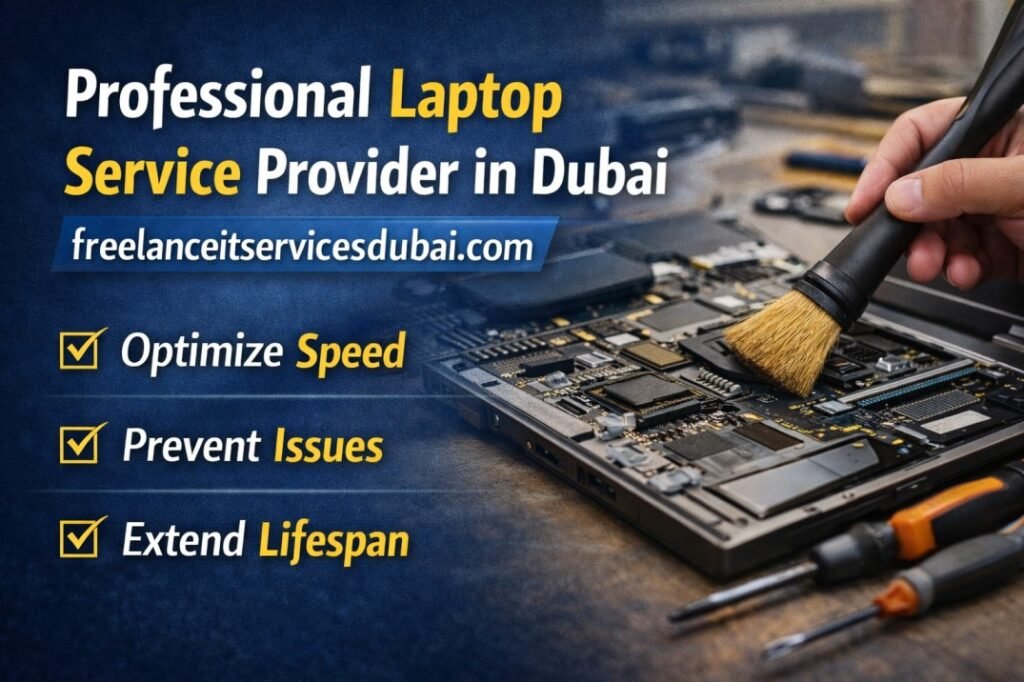
Laptops have become indispensable in our daily lives, powering everything from remote work to online education. However, many users neglect the crucial need for regular servicing, risking performance and reliability. At Freelance IT Services Dubai, we understand that a well-maintained laptop not only enhances productivity but also extends its lifespan. Discover how our comprehensive services—ranging from system optimization to hardware upgrades—can keep your laptop running smoothly and securely. Don’t let minor issues escalate into major problems; learn why proactive laptop servicing is essential for both individuals and businesses in Dubai.