
SSD Upgrade Services in Dubai
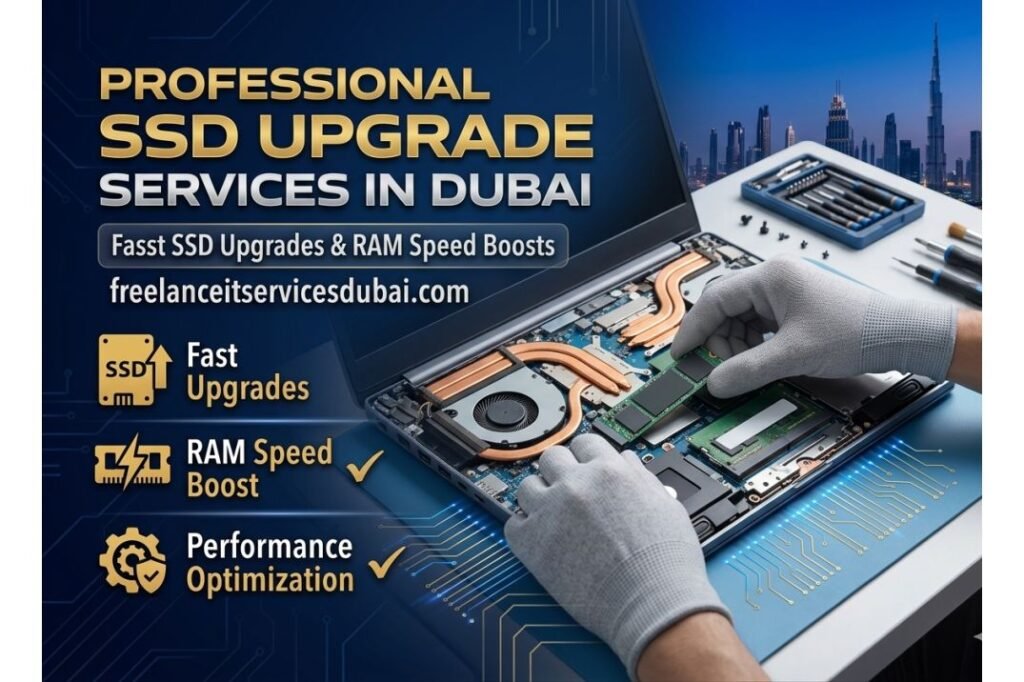
Transform Your Computer’s Speed with Professional SSD Upgrade Solutions Across Dubai If your laptop or desktop feels sluggish, takes forever to boot, or struggles with application loading times, you might be running on an older Hard Disk Drive (HDD). An SSD upgrade is one of the most cost-effective ways to dramatically improve your computer’s performance. At Freelance IT Services Dubai, we specialize in professional SSD upgrade services throughout Dubai, including Downtown Dubai, Business Bay, Deira, JLT, Dubai Marina, Al Barsha, Silicon Oasis, and all neighboring areas. What is an SSD and Why Should You Upgrade? Contact Us For IT Support A Solid State Drive (SSD) is a storage device that uses flash memory to store data, unlike traditional hard drives that rely on spinning mechanical components. This fundamental difference makes SSDs significantly faster, more reliable, and more energy-efficient than their HDD counterparts. When you upgrade from an HDD to an SSD, you’ll experience transformational improvements in your computer’s responsiveness. Boot times typically drop from over two minutes to under 30 seconds. Applications launch instantaneously instead of loading for 10-15 seconds. File transfers become lightning-fast, and multitasking becomes smooth and seamless. Whether you’re working in Business Bay, Karama, or Mirdif, a properly installed SSD will make your daily computing experience significantly more productive. Key Benefits of SSD Upgrades for Dubai Professionals Speed and Performance: SSDs are 5-10 times faster than traditional hard drives. Your operating system boots in seconds, applications open instantly, and large files load without delays. Reliability and Durability: With no moving parts, SSDs are far more resistant to shock, vibration, and mechanical failure. This is especially important for business professionals working in fast-paced Dubai environments like Bur Dubai, International City, and Al Rigga. Energy Efficiency: SSDs consume significantly less power than HDDs, extending your laptop battery life from 4-6 hours to 8-12 hours. This keeps you productive throughout your workday. Quieter Operation: Since SSDs have no spinning platters, your computer runs almost silently, creating a better working environment whether you’re in a startup in JVC or a corporate office in Silicon Oasis. Improved Multitasking: More RAM combined with an SSD creates the ultimate productivity machine for professionals managing multiple applications simultaneously. Types of SSD Upgrades Available We provide professional SSD upgrade services for multiple storage configurations. Whether you need a primary operating system drive replacement or additional storage expansion, our technicians in Downtown Dubai, Business Bay, and across the emirate can handle any SSD upgrade scenario. 2.5-inch SATA SSD: Perfect for desktop computers and some laptops, offering affordable performance improvements. Ideal for budget-conscious businesses in Deira and Bur Dubai. M.2 NVMe SSD: The fastest option available, using the M.2 slot for exceptionally rapid data transfer speeds. Essential for video editors, graphic designers, and developers working in media-rich Dubai industries. Dual SSD Configuration: Many professionals benefit from running Windows and their programs on a fast SSD while storing files on a secondary drive, maximizing both speed and storage capacity. The SSD Upgrade Process at Freelance IT Services Dubai Our professional technicians follow a meticulous process to ensure your SSD upgrade is performed correctly, safely, and efficiently. We service all Dubai areas including JLT, Dubai Marina, Al Barsha, and beyond. Consultation and Assessment: We evaluate your current system specifications, usage patterns, and performance needs to recommend the ideal SSD solution for your specific requirements. Data Backup: Before any work begins, we create a complete backup of your existing data to ensure nothing is lost during the upgrade process. Hardware Installation: Our certified technicians carefully install the new SSD, properly connecting all cables and ensuring secure mounting in your device’s storage slot. Operating System Installation: We install Windows or your preferred operating system on the new SSD, ensuring clean, optimized installation. Software and Driver Installation: We install essential drivers and software, ensuring your system is fully functional and optimized for performance. Testing and Optimization: Comprehensive testing confirms your new SSD is functioning perfectly. We optimize system settings to maximize performance benefits. SSD Upgrade Pricing and Storage Capacities SSD costs have decreased significantly, making upgrades affordable for professionals throughout Dubai. We offer various capacity options to match your budget and requirements. 256GB SSD: Suitable for basic office work and web browsing. Budget-friendly option for professionals in Karama, Al Nahda, and other residential areas. 512GB SSD: The sweet spot for most users, providing ample space for Windows, applications, and essential files while maintaining excellent performance. 1TB SSD and Beyond: Ideal for content creators, video editors, and developers who require substantial storage alongside lightning-fast performance. Popular in tech-focused areas like Silicon Oasis and the growing startup scene in various Dubai locations. Complementary IT Services to Enhance Your System While upgrading your SSD dramatically improves performance, our comprehensive IT solutions can further optimize your computer. We offer complete system enhancement services across all Dubai areas. RAM Upgrade: Combine your new SSD with additional memory (RAM) to maximize multitasking capability and application responsiveness. Windows Installation and Setup: Professional operating system installation with all latest updates and security patches pre-configured. Software Installation: We install Microsoft Office, design software, development tools, and business applications according to your needs. Network and WiFi Setup: Ensure optimal connectivity alongside your upgraded storage performance. Data Backup Solutions: Implement comprehensive backup strategies to protect your valuable data against future hardware failures. Firewall and Security Configuration: Protect your upgraded system with advanced Fortinet firewall solutions and comprehensive security setup for maximum protection. Why Choose Freelance IT Services Dubai for Your SSD Upgrade? Professional Expertise: Our certified technicians have years of experience performing SSD upgrades and system configurations for thousands of satisfied customers across Dubai. Genuine Quality Hardware: We use only authentic, high-quality SSDs from reputable manufacturers, never refurbished or counterfeit components. Fair Transparent Pricing: No hidden charges or surprise fees. We provide detailed quotes upfront with clear breakdown of all costs. Fast Service Turnaround: Most SSD upgrades are completed within 24-48 hours. We understand how critical your computer is to your productivity. Dubai-Wide Service Coverage: Whether you’re in Downtown Dubai, Business Bay, Deira,
Computer Upgrade Services in Dubai
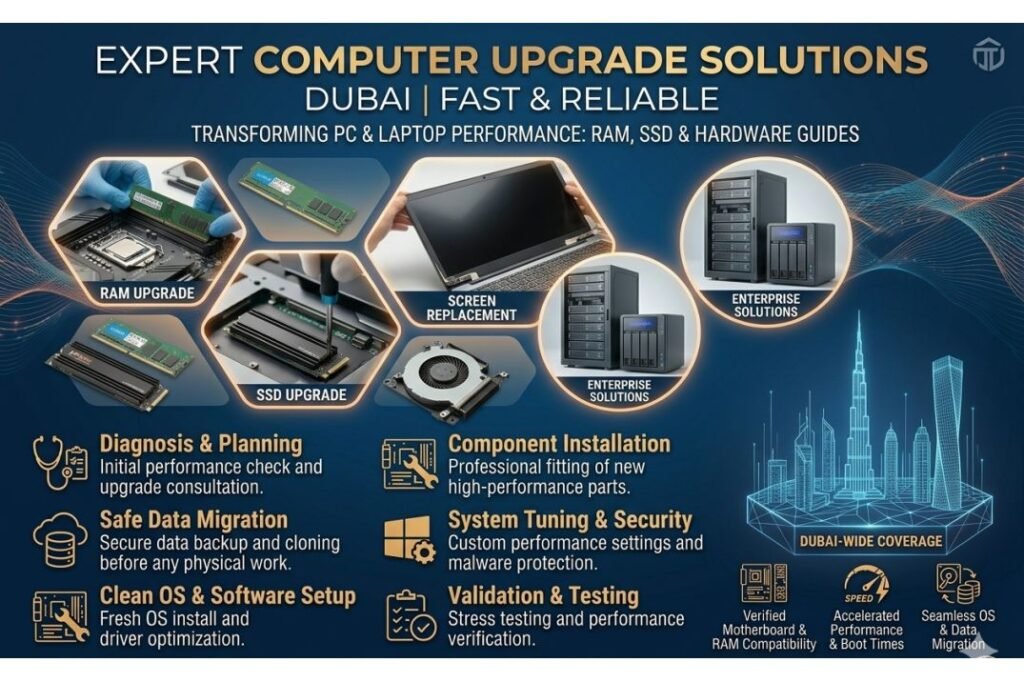
Why Upgrade Your Computer in Dubai? Contact Us For IT Support Your computer is one of your most valuable business and personal assets, yet many users in Dubai and surrounding areas like Business Bay, Downtown Dubai, and Dubai Marina are still working with outdated hardware that slows productivity and frustrates daily operations. Whether you’re a professional in JLT, a student in Karama, or a business owner in Deira, a well-timed computer upgrade can dramatically improve your system’s performance, extend its lifespan, and save you money in the long run. At Freelance IT Services Dubai, we specialize in professional computer upgrade services that transform sluggish, outdated machines into fast, efficient systems. Our IT support team provides expert hardware upgrades throughout Dubai, from Al Barsha to Mirdif, Silicon Oasis to JVC, and every neighborhood in between. We’re your trusted IT solutions company for everything from RAM and SSD upgrades to screen replacements and complete system optimization. Understanding RAM and Its Impact on Computer Performance RAM (Random Access Memory) is your computer’s short-term memory. It temporarily holds data that your CPU (processor) actively needs during calculations and operations. Unlike your hard drive, which stores information permanently, RAM is volatile—it clears when you turn off your computer. The more RAM you have, the more tasks your computer can handle simultaneously without slowing down. Think of RAM like your desk space while working: a larger desk lets you spread out multiple projects at once without shuffling papers. With insufficient RAM, your computer must constantly access slower storage, creating bottlenecks. If you’re running Windows installation, software installation, Microsoft Office, Outlook, Chrome with 20 tabs, and background updates simultaneously, inadequate RAM causes your system to crawl. This is especially frustrating for professionals in Dubai’s busy financial district who rely on seamless multitasking. RAM Types and Speeds: What You Need to Know Not all RAM is created equal. The type and speed of RAM matters significantly for your computer’s upgrade value. Modern systems primarily use DDR4 or DDR5 RAM, while older computers might have DDR3. Speed is measured in MHz, with higher numbers indicating faster data transfer. Common DDR4 speeds range from 2133 MHz to 3600 MHz, while DDR5 starts at 4800 MHz. Our IT support Dubai team helps customers in Business Bay, Al Rigga, and throughout Dubai select the optimal RAM for their specific systems and budgets. If you’re upgrading a laptop or desktop, it’s critical to know your motherboard’s maximum supported RAM speed and capacity. Installing incompatible RAM won’t damage your system, but you won’t gain the performance benefits you paid for. Our expert technicians at Freelance IT Services Dubai diagnose your current hardware, verify compatibility, and ensure you get the right upgrade. How Much RAM Do You Actually Need? Basic Web Browsing and Office Work: 8GB is the minimum standard for everyday users. If you check email, browse the web, and use Microsoft Office or Outlook in Dubai’s business districts, 8GB keeps things running smoothly. Professional Work (Designers, Developers, Video Editors): 16GB to 32GB is recommended. Professionals in Downtown Dubai, JLT, and Silicon Oasis working with video editing, CAD software, database management, or development benefit tremendously from 16GB minimum, with 32GB providing headroom for intensive work. Gaming and Content Creation: 32GB or more gives you the best performance. If you’re gaming or rendering 4K video, 32GB ensures smooth performance without system slowdowns. Server and Workstation Use: 64GB, 128GB, or even more. Businesses running servers, NAS storage, or workstations throughout Dubai need enterprise-grade RAM for reliability and capacity. Top Benefits of Upgrading Your Computer’s RAM Faster Performance: Your computer launches applications instantly, switches between programs smoothly, and handles multitasking without lag. Improved Productivity: You spend less time waiting for your computer and more time getting work done. For busy professionals in Business Bay and Dubai Marina, this translates to real money saved. Extended System Lifespan: A RAM upgrade often lets you avoid purchasing a new computer for several more years, saving thousands of dirhams. Better Gaming and Streaming: Whether you’re gaming or live-streaming content, more RAM means higher frame rates and smoother playback. Prevention of System Crashes: Running out of RAM forces your system to use slow virtual memory, causing crashes and data loss. Adequate RAM prevents this. Cost-Effective Solution: RAM upgrades are among the cheapest, fastest ways to improve computer performance compared to replacing the entire system. Maximize Your Upgrade: Complementary IT Services in Dubai While RAM upgrades deliver impressive results, combining them with other professional services ensures your system reaches peak performance. Freelance IT Services Dubai offers comprehensive IT solutions that work together to transform your computer experience: SSD and Laptop Upgrades An SSD (Solid State Drive) upgrade is equally crucial as RAM. If your computer still has a traditional HDD (Hard Disk Drive), switching to an SSD can make your system feel like a completely new computer. SSDs boot Windows in seconds instead of minutes, launch software instantly, and provide the speed boost your system desperately needs. Our laptop and desktop upgrade services throughout Al Barsha, Silicon Oasis, and Karama include professional SSD installation and data migration. Software Installation and Configuration After upgrading hardware, proper software configuration is essential. Our IT support team handles Windows installation, Microsoft Office setup, Outlook configuration, and custom software installation tailored to your needs. We ensure all updates are installed, drivers are optimized, and your system is security-hardened. For businesses in Downtown Dubai and Deira, we configure complete IT solutions including server setup, network configuration, and security systems. Screen Replacement and Hardware Repairs A cracked laptop screen or failing monitor undermines your entire system. We provide professional screen replacement services for laptops and desktops. Whether you need a quick repair in JVC or a complete monitor replacement in Dubai Marina, our technicians handle it efficiently and affordably. Network and WiFi Setup Your upgraded computer deserves reliable connectivity. Our network and WiFi setup services configure routers, establish secure connections, and optimize signal strength throughout your home or office. We also provide router configuration, CCTV installation with network integration,
NVMe Installation Services in Dubai
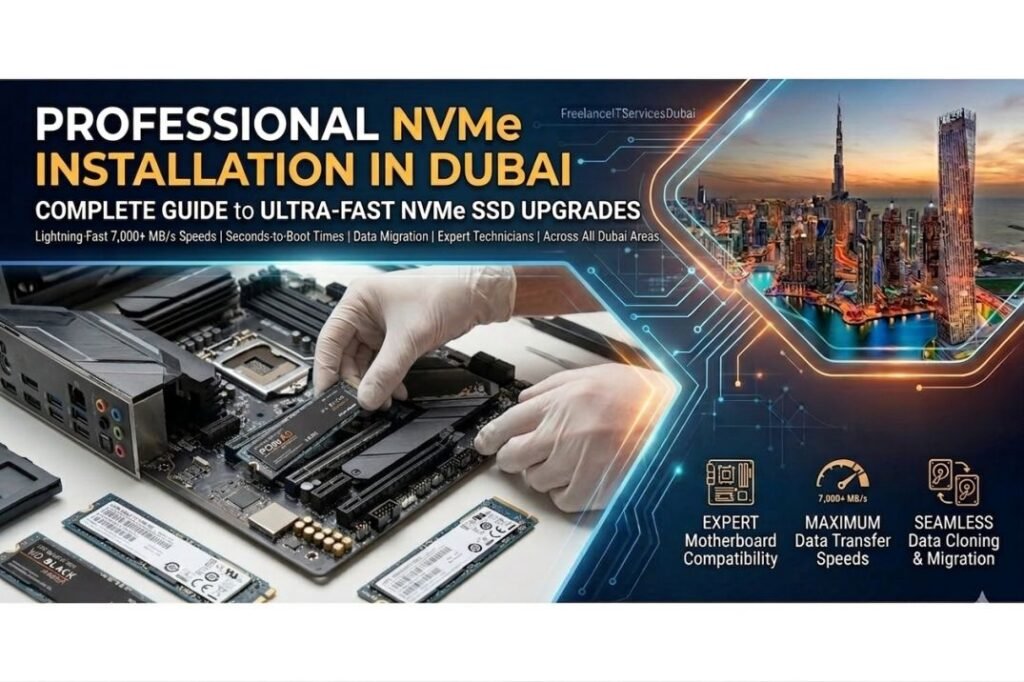
Looking for professional NVMe installation services in Dubai? Freelance IT Services Dubai offers fast, reliable SSD upgrade solutions across all Dubai areas, including Downtown Dubai, Business Bay, Deira, JLT, Dubai Marina, and beyond. Our certified technicians deliver expert NVMe drive installations with hassle-free service at competitive prices. What is NVMe? Understanding Modern SSD Technology Contact Us For IT Support NVMe (Non-Volatile Memory Express) is the latest and fastest storage technology available for computers today. Unlike traditional hard drives or older SATA SSDs, NVMe drives connect directly to your computer’s M.2 slot on the motherboard, offering dramatically faster data transfer speeds, improved performance, and better efficiency. If you’re experiencing slow boot times, application lag, or file transfer delays, an NVMe installation could be exactly what your system needs. At ITServicesDubai, our technicians specialize in professional NVMe installation and configuration, ensuring your upgrade runs smoothly. Why Upgrade to NVMe? Key Benefits for Dubai IT Professionals NVMe drives offer exceptional advantages over traditional storage solutions: Lightning-Fast Performance: Read/write speeds up to 7,000+ MB/s, compared to SATA SSDs at 550 MB/s Faster Boot Times: Boot your Windows system in seconds rather than minutes Quick Application Launch: Software opens instantly, enhancing productivity Improved File Transfers: Copy large files in a fraction of the time Better Multitasking: Handle demanding applications smoothly without slowdown Energy Efficient: Lower power consumption extends laptop battery life Cooler Operation: Minimal heat generation compared to mechanical drives Whether you work in Downtown Dubai’s corporate offices, Business Bay’s tech hubs, or remote locations across Dubai Marina and Silicon Oasis, an NVMe upgrade from FreelanceITServicesDubai will transform your computing experience. Professional NVMe Installation Process | Step-by-Step Guide Our Dubai IT support team follows a comprehensive installation procedure to ensure your NVMe drive is properly installed and optimized: Initial Assessment: We evaluate your current system, check motherboard compatibility, and recommend the best NVMe solution Data Backup: Before installation, we create secure backups of your important files using our professional data backup solutions Hardware Installation: Carefully insert the NVMe drive into the M.2 slot and secure it with the provided screw BIOS Configuration: Access BIOS/UEFI settings to enable NVMe, set boot priority, and optimize performance settings Windows Installation: Fresh Windows installation on the new NVMe drive for maximum performance Driver Installation: Install necessary chipset and storage drivers for optimal functionality Performance Testing: Run diagnostics to verify speeds and ensure proper operation Final Setup: Configure Microsoft Office, restore your data, and complete all system setup and software installation Service available throughout Deira, Karama, Al Rigga, International City, JVC, Mirdif, Al Nahda, and all major Dubai areas. Types of NVMe Drives: Choosing the Right Storage for Your Needs Not all NVMe drives are created equal. Our IT support Dubai team offers guidance on selecting the perfect drive for your requirements: PCIe 3.0 NVMe Drives The current standard offering speeds up to 3,500 MB/s. Excellent for gaming, video editing, and general computing. Perfect for most users in Dubai’s business and professional sectors. PCIe 4.0 NVMe Drives Next-generation technology delivering speeds up to 7,000 MB/s. Ideal for content creators, video professionals, and data-intensive applications. Our technicians at ITServicesDubai specialize in PCIe 4.0 installation and optimization. PCIe 5.0 NVMe Drives The cutting-edge option with speeds exceeding 10,000 MB/s. Perfect for future-proofing your system and handling the most demanding workloads. Our expert Dubai IT services team can install and configure these premium drives. System Compatibility and Prerequisites Before NVMe installation, your computer must meet certain requirements. Our FreelanceITServicesDubai technicians conduct a thorough system assessment: M.2 Slot: Your motherboard must have at least one M.2 slot (most modern boards have this) PCIe Support: Your system must support the appropriate PCIe generation BIOS Update: Older BIOS versions may need updating for optimal compatibility Operating System: Windows 10, Windows 11, or compatible Linux systems Our Dubai IT support specialists ensure your system meets all requirements before proceeding with installation. Complementary IT Services from Freelance IT Services Dubai While upgrading your storage with NVMe installation, consider our comprehensive IT solutions to maximize system performance: Laptop & Desktop Upgrade: Combined SSD and RAM upgrades for dramatic performance improvements Windows Installation & Setup: Fresh OS installation optimized for your hardware Software Installation: Professional installation of all your applications and tools Data Backup Solutions: Protect your data with secure backup systems Network & WiFi Setup: Fast, reliable network configuration Server Setup & NAS Storage: Enterprise-grade storage solutions Firewall & Security Setup: Advanced Fortinet firewall configuration for maximum protection Common NVMe Issues and Solutions Even with proper installation, NVMe drives can occasionally experience issues. Our IT Services Dubai technical support team can diagnose and resolve: NVMe Not Detected in BIOS Solution: Update BIOS, reseat the drive, or check if the M.2 slot is disabled. Our technicians across Downtown Dubai to JVC can troubleshoot this issue. Slow NVMe Performance Solution: Verify PCIe generation support, check thermal throttling, update drivers, or move the drive to a faster M.2 slot. Drive Not Bootable Solution: Reconfigure BIOS boot order, reinstall Windows, or check for firmware issues. Our Dubai IT support specialists handle this regularly. Temperature Issues: Solutions include better airflow, thermal pads, or improved BIOS cooling profiles. NVMe Installation Costs and Value Proposition NVMe installation from Freelance IT Services Dubai is an affordable upgrade with excellent ROI. You’ll enjoy dramatically improved performance without replacing your entire computer. Our competitive pricing covers the NVMe drive itself plus professional installation labor. We serve businesses and individuals throughout Business Bay, Silicon Oasis, Dubai Marina, Bur Dubai, Al Barsha, and surrounding areas. Contact FreelanceITServicesDubai today for a free assessment and quote. We offer flexible scheduling to minimize disruption to your work. Why Choose Freelance IT Services Dubai for NVMe Installation? When you need reliable NVMe installation services in Dubai, Freelance IT Services Dubai stands out for several reasons: Certified Technicians: Highly trained and experienced professionals Fast Service: Quick turnaround without compromising quality Affordable Pricing: Competitive rates across all Dubai areas Warranty: Professional service guarantee and aftercare support Dubai-Wide Coverage: Serving Downtown, Business Bay, Deira, Marina, Silicon Oasis,
Laptop Hardware Upgrade in Dubai
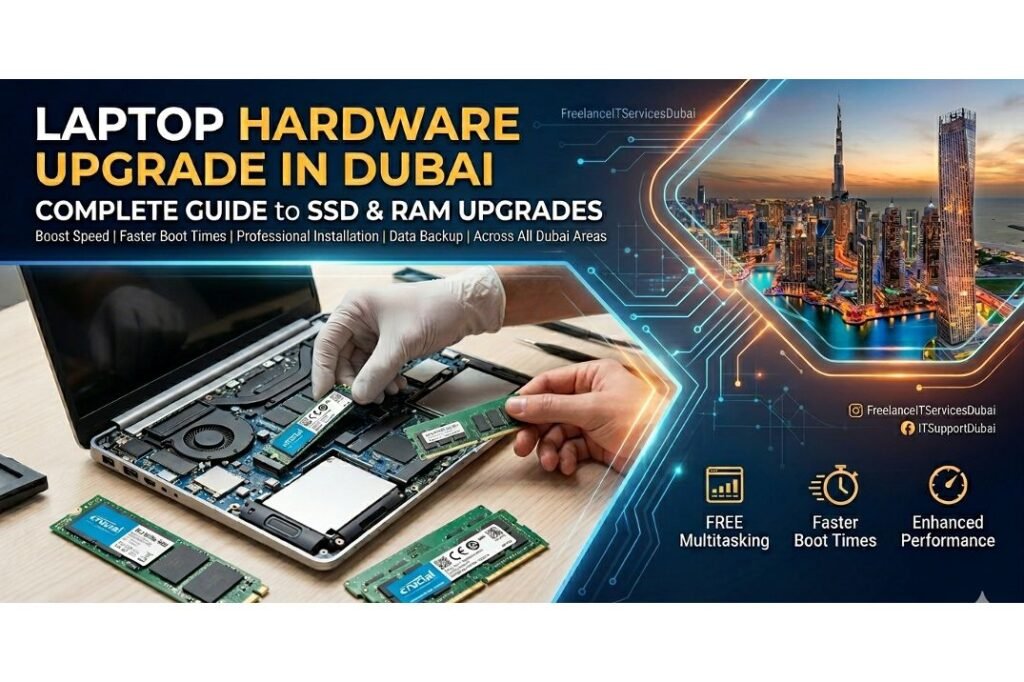
Your laptop used to be lightning-fast, but lately it’s been crawling. If you’ve noticed your device taking forever to boot up, freezing mid-task, or struggling to handle multiple applications simultaneously, you’re experiencing a performance crisis that thousands of Dubai professionals face every day. The frustration is real—but the solution is simpler than you think. Instead of spending thousands on a new laptop, a strategic hardware upgrade can restore your device to peak performance. FreelanceITServicesDubai specializes in professional laptop hardware upgrades, including SSD installation, RAM upgrades, and complete performance optimization for businesses and individuals across all Dubai areas, including JLT, Al Barsha, Silicon Oasis, Karama, and beyond. What is RAM and Why Does It Matter for Your Laptop? Contact Us For IT Support RAM (Random Access Memory) is your laptop’s short-term memory. It temporarily holds data that your processor actively uses while running applications. Unlike your hard drive or SSD (Solid State Drive), which permanently stores files, RAM is volatile memory—it clears when you turn off your computer. Think of RAM as your laptop’s workspace. If you’re working on a desk with limited space (low RAM), you can only have a few items in front of you. But if you have a large desk (high RAM), you can spread out multiple projects simultaneously without shuffling papers back and forth. The more RAM your laptop has, the more applications and browser tabs you can run smoothly without experiencing lag or crashes. Key Benefits of RAM Upgrades for Dubai Professionals Faster Multitasking: Run Microsoft Office, web browsers, design software, and communication tools simultaneously without slowdowns Improved Video Conferencing: Smooth Zoom, Teams, or Skype calls without stuttering or freezing during important business meetings Better Gaming & Media Performance: Reduced lag when editing videos or running design applications Smoother Business Operations: Faster data processing for companies in DIFC, Business Bay, and across Dubai with ITServicesDubai Extended Laptop Lifespan: Avoid premature replacement costs by upgrading existing hardware instead of buying new devices SSD Upgrades: The Game-Changer for Laptop Performance While RAM handles active operations, your SSD (Solid State Drive) is where everything lives permanently. Modern SSDs are dramatically faster than older Hard Disk Drives (HDDs). If your laptop still has an HDD, upgrading to an SSD will be the single most impactful improvement you can make. With ITSupportDubai, you get professional installation that ensures maximum compatibility and performance. Why SSD Installation is Essential in Dubai Dramatically Faster Boot Times: Start your laptop in seconds instead of minutes Instant Application Loading: Applications open instantly without delays, boosting productivity Better File Transfer Speeds: Copy and move large files quickly for efficient workflow Improved System Responsiveness: Overall snappier performance across all tasks and applications Quieter Operation: No moving parts mean silent, reliable performance perfect for office environments Energy Efficiency: Consume less power than traditional HDDs, extending battery life significantly Reliability: SSDs have no moving parts, making them more durable for professionals in International City, Mirdif, and Al Nahda The Professional Laptop Hardware Upgrade Process FreelanceITServicesDubai follows a systematic approach to ensure your laptop upgrade is done correctly and safely. Here’s what to expect when you bring your device to our technicians across Dubai: Assessment & Diagnosis: Our ITSupportDubai team examines your laptop to determine current specifications, identify performance bottlenecks, and recommend the best upgrade path for your needs and budget. Hardware Selection: We advise on appropriate RAM and SSD options—DDR4 vs DDR5 for RAM, and NVMe vs SATA for SSDs—ensuring compatibility with your specific laptop model purchased from any manufacturer. Data Backup: Before any work begins, we back up all your important files to ensure zero data loss during the upgrade process. Your information is secured with professional-grade backup solutions. Hardware Installation: Our experienced technicians carefully install new RAM modules and SSDs, following manufacturer guidelines and using proper anti-static procedures to prevent damage. System Configuration: We configure your new hardware, optimize Windows settings, and ensure all drivers are properly installed for peak performance across all applications. Testing & Verification: Comprehensive testing by our ITServicesDubai specialists ensures all components work flawlessly and your laptop runs at maximum speed consistently. Data Restoration: Your backed-up data is restored to your newly upgraded system, and everything is verified to work correctly before returning your device. Laptop Hardware Upgrades Available Across All Dubai Areas Whether you’re located in Downtown Dubai, Business Bay, Deira, or anywhere else across the emirate, ITServicesDubai provides professional laptop upgrade services. We serve all major Dubai areas including: Downtown Dubai & DIFC Business Bay Deira & Bur Dubai Dubai Marina & JLT Al Barsha & Al Manara Silicon Oasis Karama & Al Rigga International City JVC & Jumeirah Mirdif & Al Nahda And all surrounding Dubai neighborhoods Complementary IT Services That Work Together A complete laptop optimization strategy often involves multiple services working together. Along with hardware upgrades, FreelanceITServicesDubai offers these related solutions: Windows Installation & Setup: Fresh Windows installation after hardware upgrades ensures optimal performance and eliminates software bloat from your system. Software Installation & Configuration: Proper installation of Microsoft Office, Outlook, and business applications on your upgraded system for seamless productivity. Network & WiFi Setup: Ensure your upgraded laptop connects to your office network in Business Bay or home WiFi seamlessly with professional configuration. Data Backup Solutions: Protect your data on your newly upgraded SSD with comprehensive backup strategies from ITSupportDubai. Firewall & Security Setup: Fortinet firewall configuration protects your upgraded laptop against cyber threats and unauthorized access. Server Setup & NAS Storage: For businesses, complementary server and network storage solutions to work with upgraded client laptops throughout Dubai. Understanding RAM and SSD Specifications RAM Specifications Explained When upgrading RAM, you’ll encounter terms like DDR4, DDR5, and frequency (MHz). DDR stands for Double Data Rate, and newer versions (DDR5) offer better performance than DDR4, though they may not be compatible with older laptops. Frequency, measured in MHz or GHz, indicates how fast the RAM processes data. For most users in Dubai—whether in Karama offices or Downtown Dubai corporate environments served by ITServicesDubai—DDR4 or DDR5 RAM with speeds
Laptop Performance Upgrade in Dubai
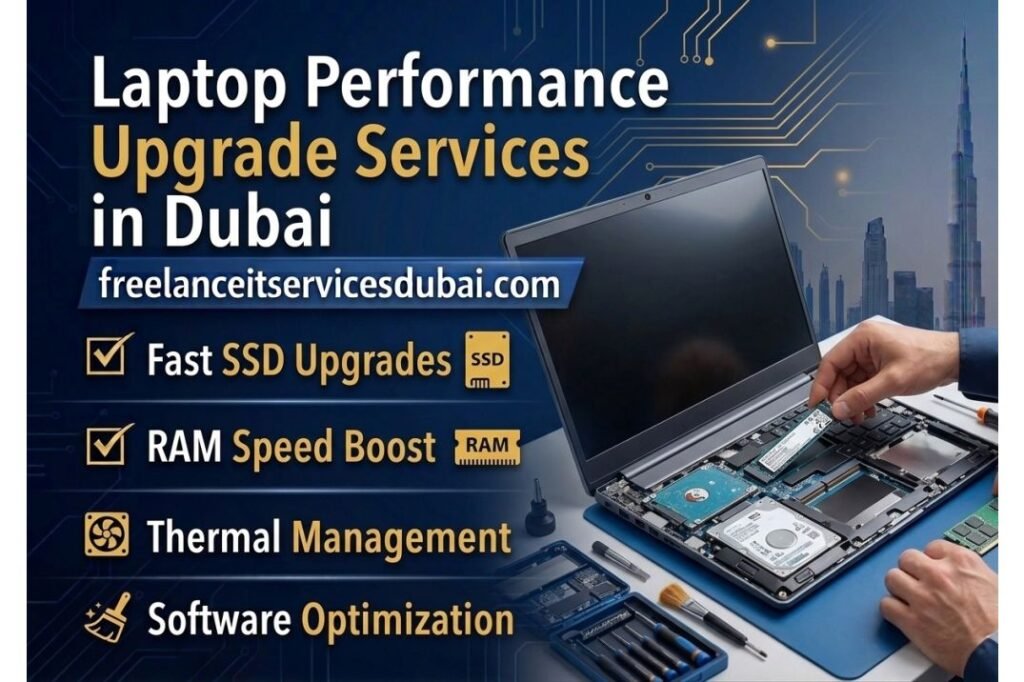
Is your laptop running slower than it used to? Experiencing frequent freezing, long startup times, or sluggish performance while working? If you’re based in Dubai and looking for professional laptop performance upgrade services, you’ve come to the right place. At Freelance IT Services Dubai, we specialize in transforming sluggish laptops into fast, responsive machines through targeted hardware and software optimization. Whether you’re working from Business Bay, Downtown Dubai, or anywhere across the emirate, our IT support team is ready to enhance your device’s performance with proven upgrade solutions. Understanding Laptop Performance Degradation Contact Us For IT Support Before diving into laptop performance upgrades, it’s important to understand why your device might be slowing down over time. Most laptop users in Dubai don’t realize that performance issues aren’t always about age—they’re often about underutilization of your system’s potential or the accumulation of unnecessary software and data. Common Performance Issues: Your laptop may experience slowdowns due to insufficient RAM (Random Access Memory), a full or aging hard drive, outdated drivers, malware infections, or simply having too many background applications running. When you use your laptop for business in areas like JLT, Deira, or Karama, performance problems can significantly impact your productivity. A laptop that was once snappy during startup might now take minutes to load, and applications that previously opened instantly may now require 10-20 seconds of waiting time. The good news? Most of these issues can be resolved through professional laptop performance upgrades that don’t require purchasing an entirely new device. What is RAM and Why Does It Matter? RAM (Random Access Memory) is one of the most critical components affecting your laptop’s speed. Unlike your hard drive (which stores files permanently), RAM is temporary memory that your laptop uses to run applications and processes in real-time. When you open multiple applications—perhaps checking emails in Outlook, browsing the web, and working on spreadsheets simultaneously—your laptop draws on RAM to keep all these tasks running smoothly. If your laptop has insufficient RAM, it will struggle to handle multiple tasks simultaneously. Your system will slow down dramatically as it tries to manage more applications than it has memory capacity for. This is especially problematic for professionals in Downtown Dubai, Business Bay, and Silicon Oasis who rely on multitasking throughout their workday. The Critical Role of Storage: Hard Drives vs. SSDs Another major factor in laptop performance is your storage device. Traditional hard disk drives (HDDs) use spinning platters to read and write data, making them significantly slower than modern solid-state drives (SSDs). If your laptop still uses an HDD, it’s likely one of the primary reasons you’re experiencing sluggish performance. Why SSD Upgrade Makes a Difference: An SSD upgrade is one of the most impactful performance enhancements you can make. SSDs have no moving parts, which means they access files almost instantaneously. Your laptop’s startup time could reduce from 2-3 minutes to just 15-30 seconds. Applications load faster, file transfers happen in seconds instead of minutes, and your overall system responsiveness improves dramatically. At Freelance IT Services Dubai, we offer professional SSD installation and upgrade services across all Dubai areas—from Al Barsha to Mirdif, JVC to Al Nahda. Our technicians ensure proper installation, data transfer from your old drive, and Windows installation if needed to make your laptop feel brand new. RAM Upgrade: Boosting Your Laptop’s Multitasking Ability Upgrading your laptop’s RAM is one of the most straightforward yet effective performance improvements. Most modern laptops can accommodate RAM upgrades ranging from 8GB to 32GB, depending on the model. Here’s how RAM affects your daily laptop use: Current Standard RAM Configurations: 4GB-8GB RAM: Basic browsing, document editing, email. Struggles with multiple applications or video conferencing. 8GB-16GB RAM: Ideal for most professionals, handles multitasking well, supports light video editing and software development. 16GB-32GB RAM: Perfect for content creators, designers, software developers, and power users requiring maximum multitasking capability. If you’re a business owner in Downtown Dubai or work from a corporate office in Business Bay, upgrading from 8GB to 16GB can make a noticeable difference in your productivity. You can keep more applications open simultaneously without experiencing slowdowns. Comprehensive Laptop Performance Upgrade Services in Dubai Our IT services company in Dubai provides complete laptop performance optimization solutions tailored to your specific needs. Here’s what a professional upgrade typically includes: Hardware Upgrades SSD Installation & Configuration: We install high-speed SSDs (250GB to 1TB capacity) and ensure proper configuration for optimal performance. Our service includes Windows installation, driver setup, and complete data migration from your old drive. RAM Installation: Whether you need to upgrade from 4GB to 8GB, 8GB to 16GB, or any other configuration, our technicians handle professional installation and verification that your system recognizes all new memory. Screen Replacement: If your laptop’s display is damaged or degraded, we offer professional screen replacement services. A crisp, clear display contributes to a better user experience and can positively affect your work environment in areas like JLT and Dubai Marina. Software Optimization Beyond hardware upgrades, software optimization is crucial for sustained laptop performance: Driver Updates: We update all system drivers, especially storage and graphics drivers, which significantly impact speed. Malware Removal: Malicious software often runs in the background, consuming system resources. We conduct thorough malware scans and removal. Startup Optimization: We disable unnecessary startup programs that slow down your boot time. System Cleanup: We remove temporary files, cache, and unnecessary applications clogging your system. Additional IT Support Services While optimizing your laptop, we can also address other critical IT infrastructure needs: Network & WiFi Setup: If your laptop struggles with connectivity, we configure your WiFi network for optimal performance and security. Router Configuration: We set up and optimize your router to ensure maximum speed and coverage throughout your office space in Karama, Al Rigga, or Bur Dubai. Microsoft Office & Outlook Setup: We install and configure Microsoft Office suite and optimize Outlook for smooth email management. Data Backup Solutions: We implement automatic backup systems to protect your files while your laptop performance is being enhanced. Firewall &
Laptop Speed Boost Services in Dubai
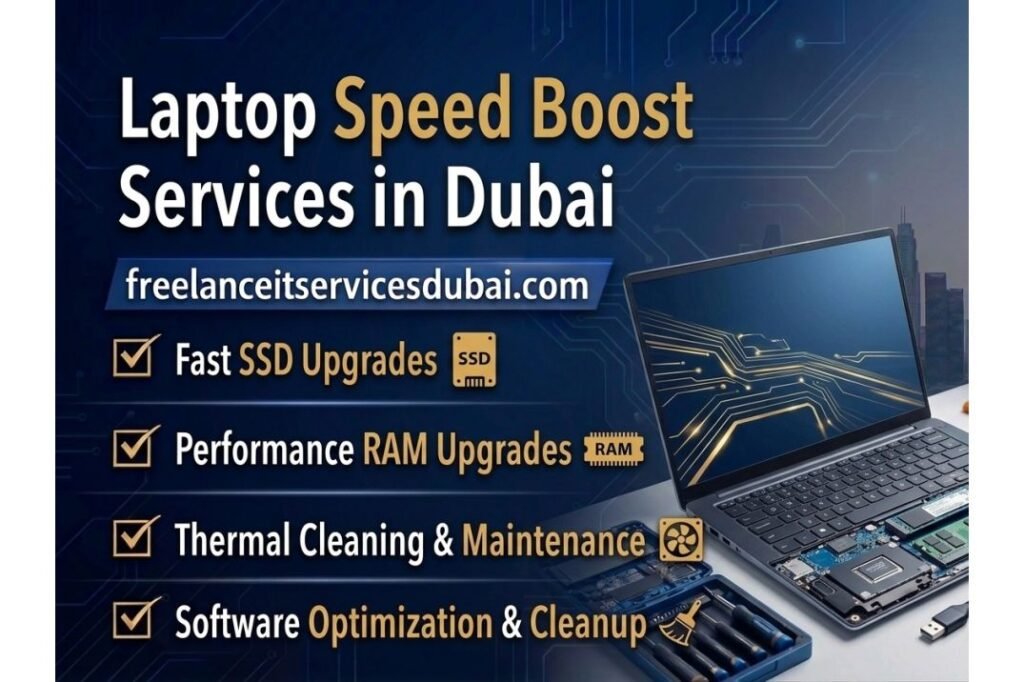
Is your laptop running slower than it used to? If you’re struggling with sluggish performance, freezing applications, and endless loading screens, you’re not alone. Many professionals and businesses across Dubai experience declining laptop performance over time. The good news? Expert laptop speed optimization can restore your device to peak efficiency. At Freelance IT Services Dubai, we specialize in comprehensive laptop performance enhancement solutions. Whether you’re in Downtown Dubai, Business Bay, or any of Dubai’s bustling business districts, our team is ready to diagnose and resolve your laptop speed issues quickly and professionally. We provide fast, reliable IT support and IT solutions tailored to bring your laptop back to optimal performance. This guide explores everything you need to know about laptop speed boost services and how they can transform your computing experience. What Causes Laptop Slowdown? Contact Us For IT Support Understanding why your laptop is slow is the first step toward fixing it. Several common factors contribute to reduced performance: Hard Drive Limitations Traditional hard disk drives (HDDs) with mechanical spinning platters are significantly slower than modern solid-state drives (SSDs). As your HDD ages, it may develop fragmentation and bad sectors that further degrade speed. If your laptop still uses a conventional hard drive, this is often the primary bottleneck limiting your system’s performance. Insufficient RAM (Memory) Your laptop’s RAM plays a crucial role in running multiple applications simultaneously. When you have limited RAM and try to use several programs at once, your system resorts to virtual memory on the hard drive—a much slower process. Most business professionals in Dubai find that 8GB of RAM is the minimum for smooth multitasking, while 16GB or more ensures seamless performance for demanding applications. Software Bloat and Startup Programs Over time, unwanted software, bloatware, and unnecessary startup programs accumulate on your system. These applications consume valuable system resources and slow down boot times and overall performance. Many users don’t realize how many programs launch automatically in the background. Malware and Virus Infections Malicious software can severely impact laptop performance by consuming CPU and memory resources. Viruses, spyware, and adware often run silently in the background, causing noticeable slowdowns even when you’re not actively using your device. Outdated Drivers and Windows Updates Drivers that haven’t been updated can cause compatibility issues and performance problems. Similarly, missing Windows updates can leave your system vulnerable and less efficient. Regular driver and system updates are essential for maintaining optimal performance. Overheating Issues Dust accumulation in cooling vents causes your laptop to overheat. When a laptop overheats, the system automatically throttles performance to cool down—a built-in protection mechanism that deliberately slows your processor. Professional thermal cleaning can resolve this issue and restore full speed. The Benefits of Professional Laptop Speed Optimization Investing in professional laptop speed boost services offers numerous advantages: Increased Productivity: A faster laptop means less waiting time and more time for actual work. Employees and business owners across Dubai’s commercial hubs—from Deira to Silicon Oasis—experience immediate productivity gains after speed optimization. Extended Device Lifespan: Regular maintenance and optimization can add years to your laptop’s useful life, protecting your technology investment. Improved Work Experience: Faster boot times, quicker application launches, and smoother multitasking make daily work more enjoyable and less frustrating. Better Security: Malware removal and security hardening protect your sensitive business data and personal information. Cost Savings: Optimizing an existing laptop is significantly cheaper than purchasing a new device, especially when you need to maintain data continuity and software configurations. Our Laptop Speed Boost Services SSD Upgrade and Installation One of the most impactful upgrades is replacing your traditional hard drive with a modern solid-state drive (SSD). SSDs are 5-10 times faster than mechanical drives, dramatically improving boot times and overall system responsiveness. Our SSD upgrade service includes: Professional SSD selection based on your budget and needs Complete data migration from your old drive Fresh Windows installation (if desired) Secure data sanitization of the old drive Service Area: We provide SSD upgrades throughout Dubai, from JLT and Dubai Marina to Al Barsha and International City. RAM Upgrade and Installation Increasing your laptop’s RAM is one of the most cost-effective ways to boost performance. We evaluate your current usage patterns and recommend the optimal RAM capacity—whether it’s upgrading from 4GB to 8GB or adding an additional 8GB module to your existing configuration. Why Choose Professional Installation? Proper compatibility verification Safe hardware installation without voiding warranties Optimal configuration for your specific laptop model Performance validation after installation Windows Installation and Optimization A fresh Windows installation can dramatically improve performance by removing clutter and optimizing system files. Our professional Windows installation service includes: Clean operating system installation Driver updates and configuration System optimization and performance tuning Security settings hardening We serve clients throughout Dubai’s business districts, including Karama, Bur Dubai, and Mirdif. Disk Cleanup and Defragmentation We perform deep system cleanup to remove: Temporary files and cache data Unnecessary startup programs System bloat and unused applications Windows update leftovers For SSD drives, we optimize the file system for maximum performance. Malware Removal and Security Setup Our comprehensive security service includes: Advanced malware and virus scanning Removal of stubborn threats and PUPs (Potentially Unwanted Programs) Firewall configuration and hardening Antivirus and security software setup Regular maintenance recommendations Firewall Protection: We specialize in Fortinet firewall setup and configuration for business networks across Dubai. Software Installation and Setup Whether you need Microsoft Office, professional applications, or specialized business software, we handle: Efficient software installation License activation and configuration Microsoft Office and Outlook setup Application optimization for performance Thermal Cleaning and Hardware Maintenance Dust accumulation is a major cause of overheating and performance throttling. Our professional cleaning service includes: Complete internal cleaning of cooling vans and heatsinks Thermal paste reapplication Hardware inspection for damage or wear Performance verification after cleaning Why Choose Professional Laptop Speed Boost Services? Expertise and Diagnosis Professional IT technicians can quickly identify the root causes of your laptop’s slowdown. Rather than trying random troubleshooting steps, we perform systematic diagnostics to pinpoint exactly what’s limiting your performance. Safe
Laptop Cleanup Services in Dubai
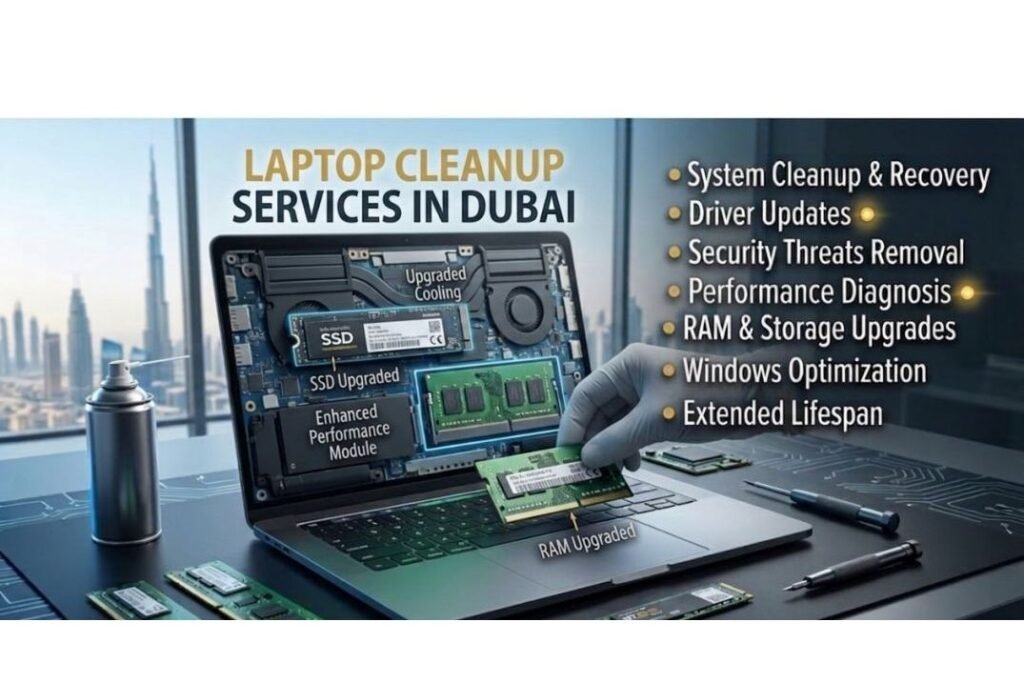
Professional Laptop Cleanup Services in Dubai Contact Us For IT Support A slow, sluggish laptop drains your productivity and frustrates your workflow. Whether you’re a busy professional in Downtown Dubai, running a business in Business Bay, or working from home in any Dubai neighborhood, a well-maintained laptop is essential for success. Freelance IT Services Dubai specializes in comprehensive laptop cleanup and optimization services that transform sluggish computers into fast, reliable machines that keep you productive. Our professional technicians understand that a slow laptop impacts productivity. We offer complete laptop cleanup services that address dust accumulation, software bloat, malware issues, and system optimization. From International City to Dubai Marina, Al Barsha to Mirdif, we serve all Dubai neighborhoods with fast, reliable IT support. What is Laptop Cleanup? Laptop cleanup is a comprehensive process designed to improve your computer’s speed, security, and longevity. It involves removing unnecessary files, uninstalling unused programs, cleaning malware and viruses, optimizing the operating system, and removing dust from internal components. Over time, laptops accumulate digital and physical clutter that slows down performance and can pose security risks. When you bring your laptop to our IT support center in Dubai—whether located conveniently near Karama, JLT, or Silicon Oasis—our experienced technicians perform a thorough diagnostic to identify what’s causing performance issues. We then execute targeted cleaning and optimization procedures tailored to your specific needs. Why Laptop Cleanup Matters in Dubai Dubai’s hot climate and dusty environment can significantly impact laptop performance. The desert sand and dust particles can accumulate inside your laptop, blocking ventilation and causing overheating. Combined with software bloat and digital clutter, your device can become sluggish and unreliable. Here’s why laptop cleanup is essential: Improved Speed and Performance: Removing temporary files, cache, and unused programs frees up valuable system resources and RAM, making your laptop faster. Extended Laptop Lifespan: Regular cleaning prevents overheating and component damage, helping your device last longer. Enhanced Security: Removing malware, viruses, and spyware protects your personal data and prevents unauthorized access. Better Reliability: A clean laptop is less prone to crashes, freezes, and unexpected shutdowns. Optimal Battery Life: Cleaning unnecessary background processes extends your laptop’s battery performance. Comprehensive Laptop Cleanup Services We Provide At Freelance IT Services Dubai, we offer thorough laptop cleanup services that go beyond basic maintenance. Our IT support team handles everything from physical cleaning to complete system optimization. Here’s what our professional laptop cleanup includes: Physical Hardware Cleaning Dust and debris accumulation is one of the leading causes of laptop overheating and performance degradation. Our technicians perform detailed physical cleaning: Removal of dust and sand from fans, heatsinks, and cooling systems. Cleaning keyboard, touchpad, and screen. Thermal paste replacement for optimal CPU temperature management. Ventilation port cleaning to improve airflow. Software and File Cleanup Unnecessary files and programs consume valuable storage and system resources. Our comprehensive software cleanup includes: Uninstalling bloatware and unused applications. Removal of temporary files, cache, and system logs. Cleanup of browser cache, cookies, and browsing history. Windows registry cleaning to fix errors and invalid entries. Security Scanning and Malware Removal Malware, viruses, and spyware are serious threats to your laptop and personal data. Our IT support includes comprehensive security services: Full system malware and virus scanning using professional-grade security tools. Removal of detected malware, trojans, spyware, and adware. Firewall setup and configuration for ongoing protection. Updated antivirus and security recommendations. System Optimization After cleanup, we optimize your system for maximum performance: Disabling unnecessary startup programs. Updating drivers and Windows for improved compatibility. Optimizing power settings for better battery and performance. Disk defragmentation (for traditional HDDs). Hardware Upgrades That Complement Laptop Cleanup While software cleanup improves performance, sometimes your laptop needs hardware upgrades for optimal results. Our Freelance IT Services Dubai team can install SSD upgrades, RAM expansion, and perform screen replacements. Upgrading from a traditional hard drive to an SSD dramatically improves boot times and overall responsiveness. If you’re in Bur Dubai, Al Rigga, or JVC, we offer convenient laptop upgrade services. SSD Installation & Migration: Significantly faster boot and load times. RAM Upgrade: Expands multitasking capability and improves overall performance. Screen Replacement: Fix cracked or damaged displays. Battery Replacement: Restore battery health for portability. Data Backup Solutions During Laptop Cleanup Before we perform extensive cleanup on your laptop, we ensure your important files are safely backed up. Freelance IT Services Dubai provides comprehensive data backup solutions including external hard drive setup, NAS storage configuration, and cloud backup solutions. Whether you’re based in Silicon Oasis, Al Nahda, or anywhere else in Dubai, our IT support team will protect your valuable data while we optimize your system. Complete IT Solutions Beyond Laptop Cleanup At Freelance IT Services Dubai, laptop cleanup is just one part of our comprehensive IT support services. We offer a full range of solutions to keep your technology running smoothly: Windows Installation & Setup: Fresh Windows installation for complete system refresh Microsoft Office & Outlook Setup: Professional productivity software installation and configuration Network & WiFi Setup: Reliable network configuration for home or office. Router Configuration: Optimized network performance and security. Firewall Setup (Fortinet): Enterprise-level security for business networks. Server Setup & Configuration: Reliable business infrastructure. NAS Storage Solutions: Secure backup and file sharing. CCTV Installation & Configuration: Professional surveillance systems. Laptop Cleanup Services Across All Dubai Areas Freelance IT Services Dubai provides professional laptop cleanup and IT support throughout Dubai and surrounding areas. From the bustling commercial districts of Downtown Dubai and Business Bay to the residential communities of Karama, Al Barsha, and Mirdif, we serve all Dubai neighborhoods. Whether you’re in Deira, Bur Dubai, Al Rigga, JLT, Dubai Marina, International City, Silicon Oasis, Al Nahda, or JVC, our skilled technicians are ready to service your laptop. Our fast turnaround time and convenient service areas make it easy to get your laptop back in top condition. We understand that businesses and individuals need their devices working reliably, so we prioritize quick, effective service delivery. Why Choose Freelance IT Services Dubai for Laptop Cleanup? When you need professional laptop cleanup services
Laptop Optimization Services in Dubai
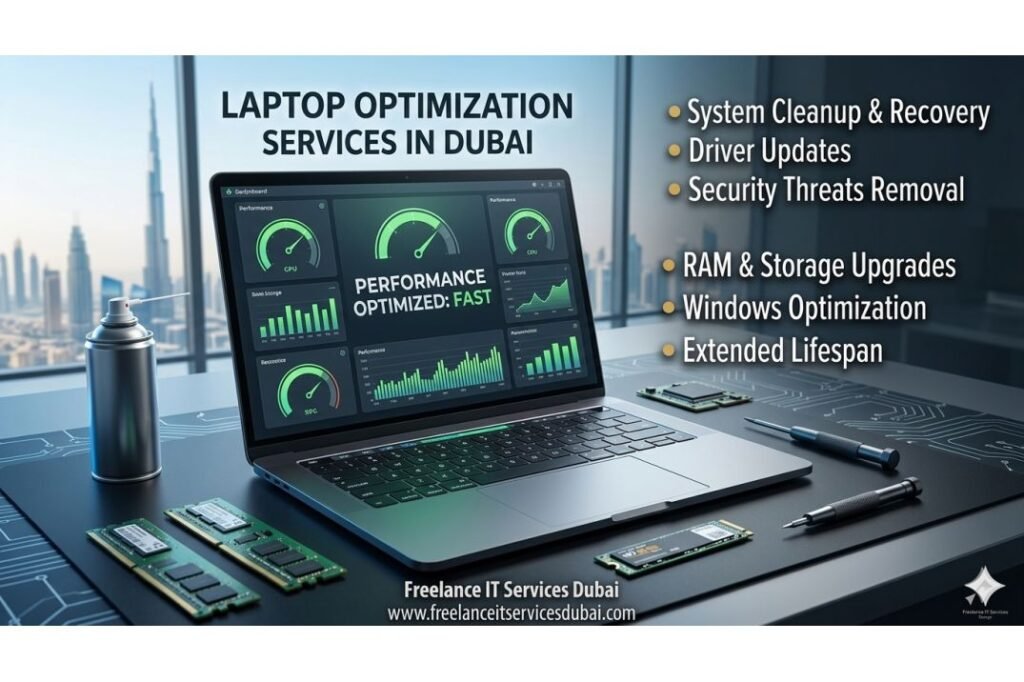
Laptop Optimization Services in Dubai – Speed Up Your Device Contact Us For IT Support Is your laptop running slow? Does it take forever to boot up, open applications, or load files? If you’re based in Downtown Dubai, Business Bay, Deira, or any other area across Dubai, you’re not alone. Many businesses and professionals experience laptop performance issues that hamper productivity. At Freelance IT Services Dubai, we provide comprehensive laptop optimization services designed to restore your device’s speed and efficiency. Our expert team specializes in diagnosing and resolving performance bottlenecks, ensuring your laptop runs smoothly and reliably. A slow laptop isn’t just an inconvenience—it’s a productivity killer. When systems lag, applications take forever to respond, and files load at a snail’s pace, valuable work hours are lost. Whether you’re a freelancer in Silicon Oasis managing multiple projects, a corporate professional in JLT handling large datasets, or a small business owner in Karama running daily operations, a sluggish laptop directly impacts your bottom line. Our laptop optimization services are designed to tackle these issues head-on, restoring your device to peak performance and ensuring you can work efficiently without frustrating delays. What is Laptop Optimization? Laptop optimization refers to the process of improving your device’s overall performance by removing unnecessary files, updating drivers, optimizing system settings, and eliminating malware or bloatware. Over time, laptops accumulate temporary files, unused applications, and fragmented data that slow down performance. Our optimization service includes: System Cleanup & Disk Space Recovery We remove temporary files, cache data, duplicate files, and unused applications that consume valuable disk space. This frees up storage and improves boot times significantly. Whether you’re in Al Barsha, JLT, or Dubai Marina, our team ensures your laptop has optimal storage capacity. Over the course of months or years, temporary internet files, Windows update caches, old system restore points, and abandoned application data can accumulate gigabytes of wasted space. We use advanced disk analysis tools to identify and safely remove this clutter without affecting your essential files or system stability. This process typically frees up 10-50GB of storage, dramatically improving both storage availability and system responsiveness. RAM & Storage Upgrades Is your laptop running out of memory? We provide professional RAM and SSD upgrades to boost performance dramatically. Upgrading from a traditional hard drive to an SSD is one of the most effective optimization strategies. Our technicians in Silicon Oasis, Mirdif, and across Dubai can install memory upgrades quickly and efficiently. RAM upgrades are particularly beneficial if you frequently work with large files, run multiple applications simultaneously, or use resource-intensive software like video editing tools or design applications. Upgrading from 4GB to 8GB or 16GB RAM can make a night-and-day difference in responsiveness. Similarly, replacing a mechanical hard drive with a solid-state drive (SSD) reduces boot times from 2-3 minutes to under 30 seconds, and application loading times become nearly instantaneous. We source compatible, high-quality components and handle the installation professionally, ensuring your warranty and system integrity are maintained. Driver Updates & Software Optimization Outdated drivers can cause system instability and slow performance. We update all critical drivers including graphics, network, and chipset drivers. We also optimize Windows settings, disable unnecessary startup programs, and ensure Microsoft Office and Outlook are running efficiently. Drivers are the bridge between your hardware and operating system, and outdated versions can lead to compatibility issues, security vulnerabilities, and reduced performance. Our technicians systematically update all drivers from motherboard manufacturers, GPU vendors, and network adapter providers. Additionally, we optimize Windows startup processes by disabling unnecessary services and startup programs that run in the background—often without users realizing it. Many computers come with bloatware that automatically launches at startup, consuming memory and CPU resources before you even open your first application. We clean this up, configure Microsoft Office for optimal performance, and ensure Outlook synchronizes efficiently without consuming excessive system resources. Malware & Security Threats Removal Malware, viruses, and spyware consume system resources and compromise security. Our comprehensive scanning and removal process eliminates threats while implementing Fortinet firewall protection and security solutions. Serving areas like Karama, International City, and Al Rigga, we ensure your data stays safe. Beyond just removing existing malware, we implement preventative measures including Fortinet firewall configuration, which creates a security barrier against unauthorized access and network-based attacks. Malware not only slows your system dramatically but also poses serious risks to your personal and financial information. We use industry-leading antivirus and anti-malware tools to perform deep scans that identify threats hidden in system files, registry entries, and boot sectors. After removing identified threats, we implement robust security protocols including firewall configuration, automatic Windows Update activation, and security best practice recommendations. For businesses in areas like Downtown Dubai and Business Bay, we also provide enterprise-grade security solutions including endpoint protection and advanced threat detection. Data Backup & Recovery Before optimization, we back up your critical data using secure NAS storage solutions and cloud-based backup systems. This ensures your files are protected during any system changes. Our data backup solutions are available throughout Dubai, from Bur Dubai to Al Nahda. Data loss is one of the most devastating situations a computer user can face, whether due to hardware failure, malware infection, or accidental deletion. We implement comprehensive backup strategies using multiple approaches: cloud-based backup services that automatically sync your files, external hard drive backups for quick local access, and for businesses, NAS (Network-Attached Storage) solutions that provide centralized, the redundant data storage. These backups are created before any optimization work begins, ensuring a complete recovery point should anything go wrong. For business clients across Dubai, we recommend automated daily backups with encryption to protect sensitive business information. This multi-layered approach ensures your data is never lost, regardless of what happens to your primary device. Why Optimize Your Laptop? Performance optimization isn’t just about speed – it impacts your entire work experience. A sluggish laptop wastes time, reduces productivity, and increases frustration. Here’s why optimization matters: Increased Productivity Faster application loading and response times mean less downtime. Whether you’re working in
Slow Laptop Fix Services in Dubai
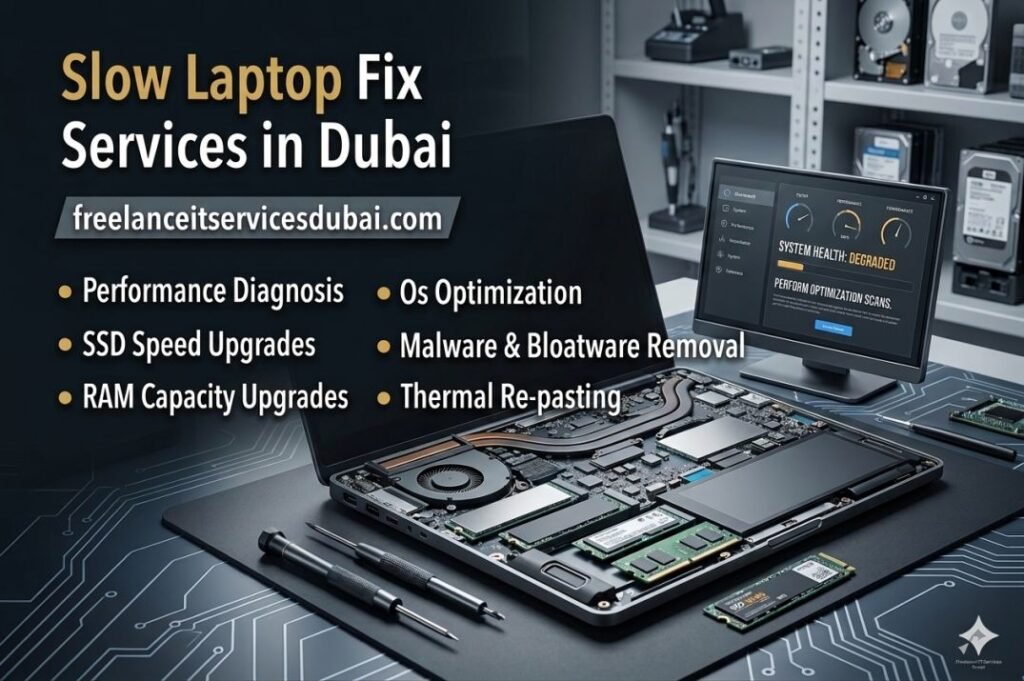
Is your laptop running slowly? Struggling with lag, freezing applications, and frustrating delays? You’re not alone. Thousands of users across Dubai—from Downtown Dubai to Business Bay, Deira to JLT—experience slow laptop performance daily. At Freelance IT Services Dubai, we specialize in diagnosing and fixing slow laptop issues with precision and speed. Whether you’re working from your office in Silicon Oasis or managing projects from home in Al Barsha, a slow laptop can disrupt your productivity and cost you valuable time. Our expert technicians provide comprehensive slow laptop repair and optimization services across all Dubai areas, delivering noticeable performance improvements within hours. What Causes Your Laptop to Run Slowly? Contact Us For IT Support A slow laptop rarely happens overnight. Multiple factors contribute to performance degradation, and identifying the root cause is essential for effective repair. Hard Drive Limitations Older mechanical hard drives (HDD) are the primary culprit behind sluggish laptop performance. As data accumulates, disk fragmentation increases, causing the read/write head to work harder and slower. If your laptop still runs on a traditional HDD, upgrading to an SSD (Solid State Drive) can boost performance by up to 10 times. Our technicians at Freelance IT Services Dubai specialize in SSD installation and can have your laptop transferring data at lightning speed. Insufficient RAM Random Access Memory (RAM) handles multitasking. If your laptop only has 4GB of RAM, running modern applications alongside a web browser will cause severe slowdowns. Upgrading to 8GB, 16GB, or even 32GB RAM depends on your usage, but we recommend a minimum of 8GB for smooth performance. Our laptop upgrade services in Dubai Marina and Karama include professional RAM installation with warranty coverage. Malware & Virus Infections Malicious software running in the background consumes system resources, drastically slowing down your laptop. Viruses, spyware, and ransomware can hijack your CPU and RAM, causing lag even on powerful machines. Our cybersecurity experts perform comprehensive malware scans and removal across all Dubai locations, from Bur Dubai to International City. Startup Programs & Background Processes Many applications automatically launch at startup, consuming system resources before you even open a single file. Over time, dozens of unnecessary programs load, eating away at available memory. We optimize your startup settings and disable resource-heavy background processes, dramatically improving boot times and overall responsiveness. Overheating & Thermal Throttling Dust accumulation inside laptop cooling systems causes overheating. When your laptop gets too hot, the processor automatically reduces its speed (thermal throttling) to prevent damage, resulting in slower performance. Our comprehensive laptop cleaning service in Al Rigga and Mirdif removes dust, improves airflow, and restores optimal thermal performance. Outdated Drivers & Operating System Outdated drivers and Windows versions often cause compatibility issues and performance bottlenecks. We update all drivers and ensure your operating system is fully patched with the latest security updates, optimizing both performance and security for users in JVC, Mirdif, and throughout Dubai. Our Expert Slow Laptop Diagnostic Process We don’t guess. At Freelance IT Services Dubai, every slow laptop receives a thorough diagnostic to pinpoint exactly what’s causing the slowdown. Physical Inspection We examine your laptop for dust, overheating, damaged fans, and hardware wear. Our technicians across Business Bay and Downtown Dubai check for signs of thermal stress and physical damage. Software Analysis We scan for malware, analyze startup programs, check disk health, and monitor CPU/memory usage to identify bottlenecks. Performance Testing We run benchmark tests to measure current performance and identify which components need attention—hard drive, RAM, processor, or graphics card. Detailed Report & Recommendations You receive a comprehensive report with clear recommendations, costs, and expected performance improvements. No surprises, no upselling—just honest advice. Solutions We Offer for Slow Laptop Performance SSD Installation & Upgrade Replace your old hard drive with a blazing-fast SSD. This single upgrade often provides the most dramatic performance boost. We handle data migration and ensure your system is optimized for your new storage drive. RAM Upgrade Increase your laptop’s multitasking ability by upgrading to 8GB, 16GB, or 32GB RAM. We source quality memory modules and provide professional installation across all Dubai areas including Karama, Al Nahda, and Deira. Malware Removal & Security Setup Comprehensive malware scanning, virus removal, and installation of enterprise-grade security solutions to protect your laptop from future threats. Windows Installation & Optimization Clean Windows reinstallation removes bloatware and unnecessary files, restoring your laptop to near-original performance. We handle all setup, driver installation, and software configuration. Laptop Cleaning & Thermal Management Professional internal cleaning removes dust and debris, restoring cooling efficiency. Better airflow means lower temperatures, reduced thermal throttling, and faster performance. Driver Updates & System Optimization We update all drivers to the latest versions, patch your Windows installation, and optimize system settings for maximum performance without sacrificing stability. Microsoft Office & Software Installation We install and configure Microsoft Office, essential software, and productivity tools optimized for your workflow. Our team in JLT and Silicon Oasis ensures everything works flawlessly. Serving All Dubai Communities Whether your laptop is sluggish in a high-rise office in Downtown Dubai, a startup hub in Business Bay, or your home in Dubai Marina, our technicians are equipped to fix it. We have deep familiarity with: Downtown Dubai & Business Bay – Fast service for high-paced corporate environments Deira & Bur Dubai – Traditional commercial areas with multiple office locations Al Rigga & Karama – Bustling neighborhoods with diverse business needs International City – Tech-savvy community requiring reliable IT support JLT & Dubai Marina – Premium residential areas with demanding performance requirements Al Barsha & Silicon Oasis – Growing tech hubs and commercial centers JVC, Mirdif & Al Nahda – Residential communities where reliable laptops are critical for work and study Advanced Hardware Upgrade Services Beyond standard upgrades, we offer specialized solutions for demanding users. If your laptop still struggles after SSD and RAM upgrades, we can diagnose processor limitations, graphics card issues, or power supply problems. We also handle screen replacement if your display is damaged or degraded, and provide comprehensive data backup solutions to protect your files before any
Boot Error Fix Services in Dubai
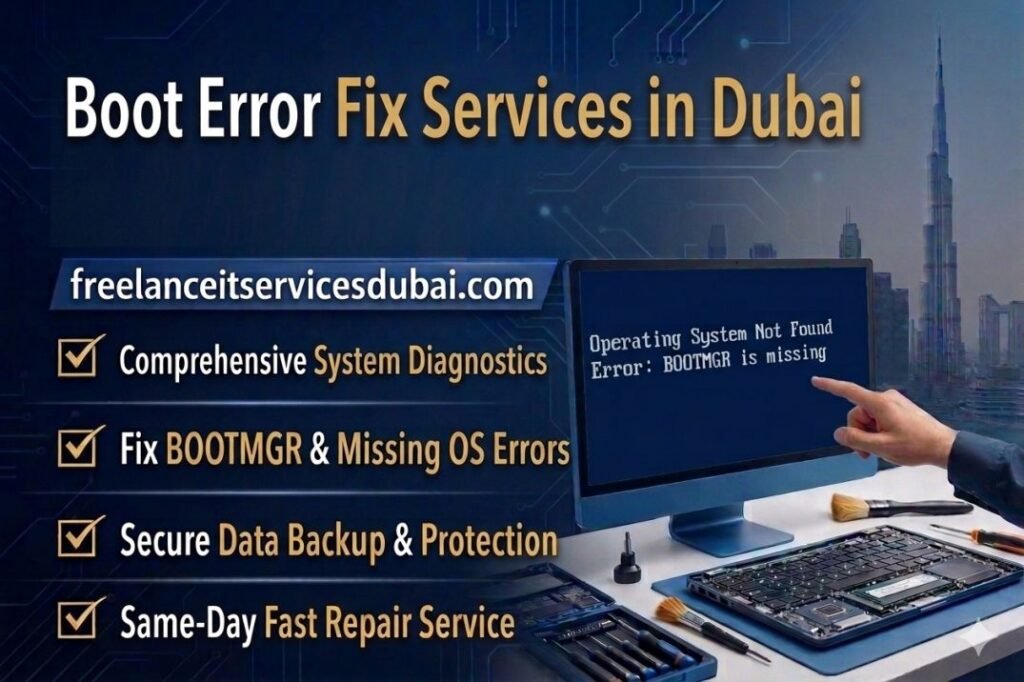
Boot errors can be one of the most frustrating issues a computer user can face. Whether you’re running a business in Business Bay, managing operations from Downtown Dubai, or working from home in Dubai Marina, a computer that won’t boot properly can completely halt your productivity. At Freelance IT Services Dubai, we specialize in diagnosing and fixing boot errors quickly and reliably across all Dubai areas. When your computer fails to start, displays error messages during startup, or gets stuck in a restart loop, you need professional help immediately. Boot errors can stem from various causes – corrupted system files, hardware failures, driver conflicts, malware infections, or misconfigured BIOS settings. Our expert technicians have years of experience resolving these issues for businesses and individuals throughout Dubai, including areas like Deira, Karama, Silicon Oasis, and JVC. This comprehensive guide explains what boot errors are, why they occur, and how our professional boot error fix services can get your system running again. If you’re experiencing boot problems right now, Freelance IT Services Dubai offers same-day service across all Dubai areas. What Are Boot Errors? Understanding the Basics Contact Us For IT Support Definition and Common Types A boot error occurs when your computer cannot successfully complete its startup sequence. The boot process is the series of operations your computer performs when you power it on – it includes hardware checks, loading the operating system, and initializing essential services. When something goes wrong during this process, you’ll see a boot error. Common boot error messages include: “Operating System not found” “BOOTMGR is missing” “Windows failed to start” “Error loading operating system” “No bootable device found” “Unmountable boot volume” “Invalid boot configuration data (BCD)” “Automatic repair couldn’t repair your PC” “System cannot find the path specified” “Critical system file missing or corrupted” These errors can appear as blue screens of death (BSOD), black screens, or screens with error messages and codes. For businesses in International City, Mirdif, and Al Barsha, boot errors mean lost work hours and disrupted operations. That’s where our professional diagnostic and repair services come in. Why Boot Errors Matter for Dubai Businesses In a fast-paced business environment like Dubai, downtime is expensive. Whether you’re a startup in Business Bay, a manufacturing company in Al Rigga, or a service provider in Downtown Dubai, your computers are critical to daily operations. Boot errors don’t just affect individual users – they impact entire teams, client relationships, and your bottom line. Employees in Dubai Marina, JLT, and other busy commercial areas depend on functioning computers for email, file access, customer communication, and data processing. When a boot error strikes, every minute counts. Root Causes of Boot Errors – Why They Happen Understanding what causes boot errors helps explain why professional repair is necessary and why quick fixes often don’t work. Here are the primary causes: Corrupted or Missing System Files Windows relies on thousands of system files to start properly. If key files like BOOTMGR, ntldr, or hal.dll become corrupted, your system won’t boot. This can happen due to sudden power failures, improper shutdowns, or software conflicts. Our technicians at Freelance IT Services Dubai use specialized tools to scan, identify, and repair corrupted files. Hard Drive and Storage Failures Physical damage to your hard drive or SSD can prevent your computer from reading essential startup files. Warning signs include clicking sounds, grinding noises, or slow performance before the boot error occurs. In humid Dubai conditions, hard drives can be prone to degradation. We provide professional hard drive diagnostics and can often recover your data before replacing the drive. Malware and Virus Infections Malicious software can corrupt boot files, disable antivirus protection, and create startup problems. If you’ve noticed suspicious behavior before the boot error, malware might be the culprit. Our security-focused approach includes scanning for and removing threats using advanced tools. Driver Conflicts and Updates Gone Wrong Recent driver updates, especially graphics drivers or chipset drivers, can cause boot failures. If boot errors started immediately after a Windows update or driver installation, this is likely the cause. Rollback and reinstallation of compatible drivers usually resolves the issue. BIOS/UEFI Configuration Issues Incorrect BIOS settings, damaged CMOS battery, or misconfigured boot order can prevent your system from finding and loading Windows. This is more technical but often fixable by resetting BIOS to default settings or updating firmware. Insufficient Disk Space If your system drive is completely full, Windows cannot perform necessary startup operations. This is a simpler issue to resolve but requires professional cleanup and optimization to prevent recurrence. Boot Sector Damage The boot sector is a critical area on your drive that tells your computer where Windows is located. Damage to this sector – whether from malware, bad sectors, or file system errors – stops your computer from starting. Hardware Compatibility Issues New hardware installations that aren’t properly compatible with your motherboard can cause boot failures. Clients in Karama and Silicon Oasis sometimes experience this after upgrades to RAM, SSDs, or other components. Our Professional Boot Error Fix Process When you bring your computer to Freelance IT Services Dubai, we follow a systematic diagnostic and repair approach: Step 1: Comprehensive Diagnostic Testing We begin by connecting your computer to our diagnostic equipment to identify the exact cause of the boot error. This includes: Hard drive health and SMART status checks RAM testing for memory corruption BIOS/UEFI verification File system integrity scanning Malware and virus detection Event log analysis to identify error patterns Step 2: Data Preservation and Backup Before attempting any repairs, we prioritize protecting your data. We’ll create backup copies of essential files and documents using our professional data backup solutions. Step 3: Targeted Repair Depending on the diagnosis, we might: Repair corrupted system files using Windows repair tools Replace damaged hard drives or SSDs with proper installation and data transfer Remove malware using specialized security tools Update or roll back drivers to compatible versions Reset BIOS to default settings or update UEFI firmware Repair Windows installation without losing personal files Configure proper