SYNOLOGY NAS SETUP IN DUBAI
Synology NAS Setup in Dubai, Configured by a Specialist
Your Synology deployed properly: RAID protection, automated PC backups, secure remote access, and ransomware-resistant snapshots, not just plugged in and shared.
- 5.0 on Googlefrom real client reviews
- Open 24/7phone and WhatsApp
- Same day visitsin most of Dubai
- 7+ yearsof IT work in Dubai
- No travel feesflat rate agreed first
The service
A Synology Out of the Box Is 20% of a Synology Set Up Right
Synology makes brilliant hardware, but the difference between a NAS that transforms your business and an expensive network folder is entirely in the configuration. Set up properly, one Synology device becomes your company's central file server, an automatic backup destination for every computer in the office, a private cloud your team reaches securely from anywhere, and a ransomware recovery system that can roll your files back to the minute before an attack.
We deploy Synology systems across Dubai for offices and homes: honest model and drive sizing, RAID configured for real protection, shared folders with per-user permissions, Active Backup covering every PC, snapshot schedules, and remote access done securely, not the port-forwarding shortcuts that get DIY setups breached.
- A Synology bought on recommendation, still half-configured
- No RAID, one disk failure from losing everything on it
- Office PCs with no automatic backup anywhere
- Remote access set up insecurely, exposed to the internet
- Snapshots and versioning never enabled, no ransomware safety net
- Storage full with no plan for expansion
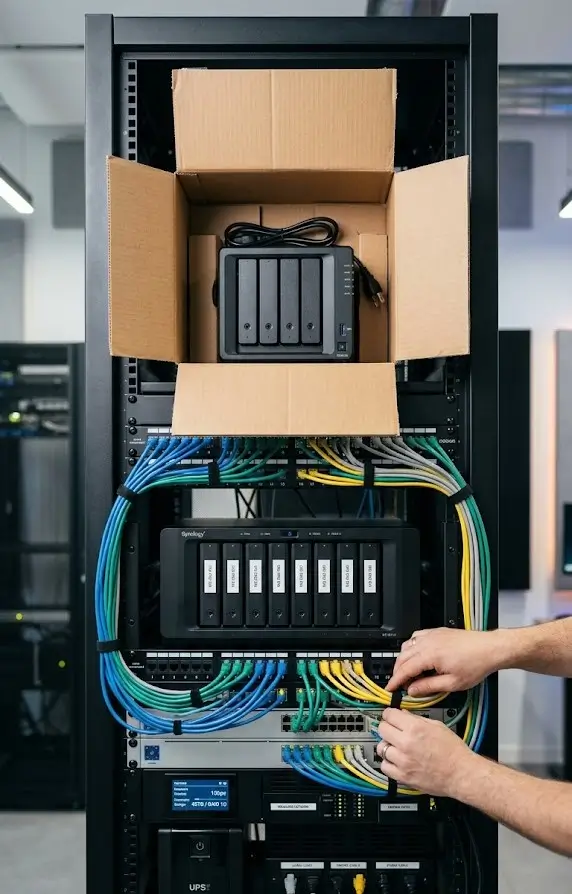
We size the model and drives to your data and growth, configure RAID and storage pools, build the folder structure and permissions, deploy Active Backup for Business to every computer, enable snapshot schedules, and set up secure remote access, finishing with a test restore so protection is proven, not presumed.
What you get
What Our Synology NAS Setup Includes
We install the drives, set up DSM and build the storage, then configure the Synology apps your office will use. Each part is tested before we hand over admin access.
- DSM install and hardeningWe install the latest DSM, disable the default admin account, turn on two-factor sign-in and set auto block rules.
- Storage pool and Btrfs volumeWe build the pool with SHR or a standard RAID level and format it as Btrfs, which snapshots depend on.
- Shared folders and recycle binWe create shares by department, give each user or group read or write access and switch on the recycle bin.
- Synology Drive for staffWe set up Synology Drive so staff sync chosen folders to their laptops and open files from the phone app.
- Hyper Backup offsite copyWe configure Hyper Backup to send encrypted, versioned copies to a USB drive, a second NAS or a cloud target.
- Alerts and drive health testsWe set email alerts for disk errors, failed tasks and low space, and schedule regular S.M.A.R.T. tests on every drive.
LOCAL EXPERTISE
Synology NAS Setup for Every Kind of Dubai Business
Different businesses need this differently. We design around yours, and we are already working in your area.
Corporate Offices & Firms
Synology NAS Setup consolidated and maintained properly for offices across the business districts.
Warehouses & Industrial
Synology NAS Setup built for operations that cannot stop, rugged and reliable.
Tech, Media & Agencies
Synology NAS Setup for teams who need infrastructure they do not have to think about.
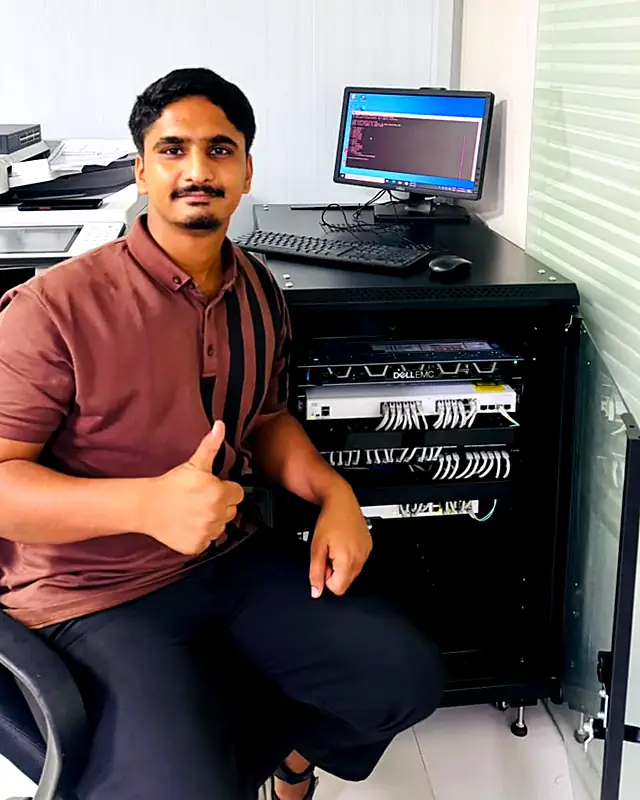
Muhammad AhsanFounder and certified IT engineerReplies on WhatsAppMeet your engineer
Meet Muhammad Ahsan, Your IT Engineer
Founder of Freelance IT Services Dubai
I have more than seven years of hands-on experience in IT and network security, network troubleshooting, server installation and server hardware, for offices and homes across Dubai.
When you call, you speak to me, and I am the one who comes to your office. I do the work in front of you, explain it in plain words, and your data never leaves your sight.
- Network security and firewalls
- Network troubleshooting and Wi-Fi
- Server installation and hardware
- Microsoft 365, email and cloud
Certifications
- CiscoCCNP Enterprise
- CiscoCCNA
- CiscoCCST Networking
- CompTIAServer+
- CompTIANetwork+
- CompTIAA+
- MicrosoftMD-102 Endpoint
- MicrosoftMS-900 Microsoft 365
- MicrosoftAZ-900 Azure
- VMwareVCP Virtualization
- ITIL4 Foundation
WHY TRUST US
Why Trust Us With Your Tech?
Three things you can count on at every visit, anywhere in Dubai.
Strict Data Privacy
All work happens in front of you. Your company data, drives, and files never leave your sight.
Certified Expertise
Muhammad holds Cisco CCNA and CCNP Enterprise, CompTIA A+, Network+ and Server+, Microsoft MD-102 and VMware VCP certifications, and he is the engineer who comes to you.
Transparent Pricing
We diagnose first and agree a flat-rate quote before any work starts. No hidden surprises.
THE DIFFERENCE
Why Businesses Switch to Us
A Typical IT Company
- Call centre queues; you never speak to the engineer
- Two or three day response windows
- Surprise call-out and travel charges
- A different junior technician every visit
- Upselling hardware and contracts you do not need
Freelance IT Services Dubai
- Direct WhatsApp and phone line to your engineer
- Same-day on-site dispatch across Dubai
- Flat-rate quote agreed before any work starts
- The same certified specialist, every time
- Honest advice: we tell you when a simpler setup wins
Technology We Work With Every Day
- Microsoft 365 & Windows Server
- Fortinet Network Security
- Synology & QNAP Storage
- Hikvision & UniFi Hardware
- Dell, HP & Lenovo Devices
Related Services
One Engineer.
All of Dubai.
We don't have a shop you visit. We come to you. From Business Bay boardrooms to Al Quoz warehouses and Palm Jumeirah villas, a certified IT engineer is dispatched to your door, usually the same day. Tap any area to explore the IT services we deliver there.
Areas we serve
Onsite IT Support in Every Part of Dubai
What Dubai Businesses Say About Us
Get a quote
Tell Us What Needs Fixing
Send a few details and we reply with a clear flat rate, usually the same day. Prefer to talk? Call or WhatsApp at any hour.
- No travel fees anywhere in Dubai
- Price agreed before any work starts
- Your details are only used to reply to you
HOW IT WORKS
How Our On-Site Service Works
You Reach Out
Call or WhatsApp with the problem or the plan. We triage in minutes and give you a realistic path forward.
We Deploy
A certified engineer arrives with the right tools and plan, at a time that suits your schedule.
Tested & Documented
Everything is verified, explained in plain language, and handed over with documentation you keep.
Problems we solve
Common Synology NAS Problems We Fix
Synology units are reliable, so most faults we see come from settings or ageing drives. These are the issues owners describe when they call.
- !I can't find the NAS on the network anymore
Our fixThe NAS was on an automatic address that changed, so mapped drives and shortcuts point nowhere. We give it a fixed IP with a DHCP reservation and remap the drives.
- !Synology Drive keeps making conflict copies
Our fixTwo people editing the same file offline, or a laptop with the wrong clock, creates conflict files. We fix time settings, clean up duplicates and adjust sync rules for shared folders.
- !My Hyper Backup task keeps failing
Our fixCommon causes are a full destination, an expired cloud login or a USB drive that went to sleep. We read the task log, fix the target and run an integrity check on the backup.
- !The NAS is beeping and a drive shows a warning
Our fixA drive has bad sectors or failed a S.M.A.R.T. test, and the pool is degraded or close to it. We confirm the backups, swap the drive and let DSM repair the pool.
- !Everything on the NAS has gone very slow
Our fixIndexing, a running data scrub or too many packages on a small unit can max out its memory. We check Resource Monitor, move heavy tasks to off hours and suggest a RAM upgrade where supported.
QUESTIONS
Frequently Asked Questions
Which Synology model should my business buy?
It depends on data volume, user count, and whether you’ll run backups and sync or just file sharing. We size honestly, a 2-bay unit genuinely covers many small offices, while heavier use justifies 4-bay-plus. Ask before buying; it’s free advice that prevents expensive mistakes.
What does RAID actually protect against?
Disk failure, with RAID configured, one drive (or more, depending on level) can die and your data stays intact and accessible while it’s replaced. It is not a backup against deletion or ransomware; that’s what snapshots and off-site copies add.
Can the Synology back up all our office computers automatically?
Yes, Synology’s Active Backup for Business backs up entire PCs on schedule at no extra license cost, and it’s one of the biggest reasons we recommend the platform to Dubai SMEs.
How does snapshot ransomware protection work?
The NAS keeps read-only point-in-time versions of your shared folders. If ransomware encrypts your files, we roll the folders back to the last clean snapshot, recovery in minutes, no ransom conversation.
Is remote access to a NAS safe?
Done properly, yes, secure relay or VPN, strong authentication, and no naked ports exposed to the internet. Insecure DIY port-forwarding is how NAS breaches happen; it’s the first thing we fix on existing setups.
Can you improve a Synology we already set up ourselves?
Absolutely, a configuration review typically finds missing RAID protection, disabled snapshots, no PC backups, and risky remote access. We fix all of it and finish with a verified test restore.
On-Site IT Solutions
We come to your office or home anywhere in Dubai.
Fast Response Times
Same day visits in most cases. Phone and WhatsApp open 24/7.
Certified Experts
One experienced engineer who knows your setup.
No Fix, No Fee
If we can't fix it, you don't pay for the visit.
Ready for Synology NAS Setup?
Get a free assessment and a fixed-price quote today. One call starts it.