WINDOWS INSTALLATION IN DUBAI
Windows 10 & 11 Installation in Dubai, Clean, Genuine, Complete
Fresh Windows installed and activated with every driver, update, and your essential software configured, your files backed up first and restored after, nothing lost.
- 5.0 on Googlefrom real client reviews
- Open 24/7phone and WhatsApp
- Same day visitsin most of Dubai
- 7+ yearsof IT work in Dubai
- No travel feesflat rate agreed first
Quick answer
Can you install Windows without losing my files?
Yes. We back up your files first, install genuine Windows 10 or 11 with drivers, updates and your software, then restore everything, at your home or office in Dubai. Start with a free assessment of your machine.
- Onsite across Dubai
- Open 24/7
- Free assessment
The service
A Fresh Windows, Without the Fresh-Start Losses
A clean Windows installation is the definitive cure for a huge class of computer misery: crippling slowness no cleanup fixes, corrupted updates, virus infections that keep returning, and systems so cluttered that starting over beats untangling. The catch is everything attached to the old system, your files, your programs, your printer that finally worked. We do the full job: back up your data first, install genuine Windows 10 or 11 cleanly, then bring back your files and set up your essential software, so 'fresh start' doesn't mean 'start from zero.'
Every installation includes proper activation, all hardware drivers (the step DIY installs stumble on, sound, Wi-Fi, and graphics mysteriously missing), current updates, and sensible security settings. Upgrades from Windows 10 to 11 are handled the same careful way, including honest advice when older hardware makes staying put the smarter move.
- Windows so slow or broken that repair costs more than restarting
- Virus or malware infections that keep coming back
- Update errors and endless boot-repair loops
- 'Windows not activated' watermarks on business machines
- A new PC full of factory bloatware
- Windows 10 end-of-support anxiety with no upgrade plan
We back up your data, confirm licensing, and cleanly install Windows with all drivers and updates. Then the part that makes it painless: files restored, Office and essentials reinstalled, email reconnected, printer configured, you sit down to a fast machine that still feels like yours.
What you get
What Our Windows Installation Service Includes
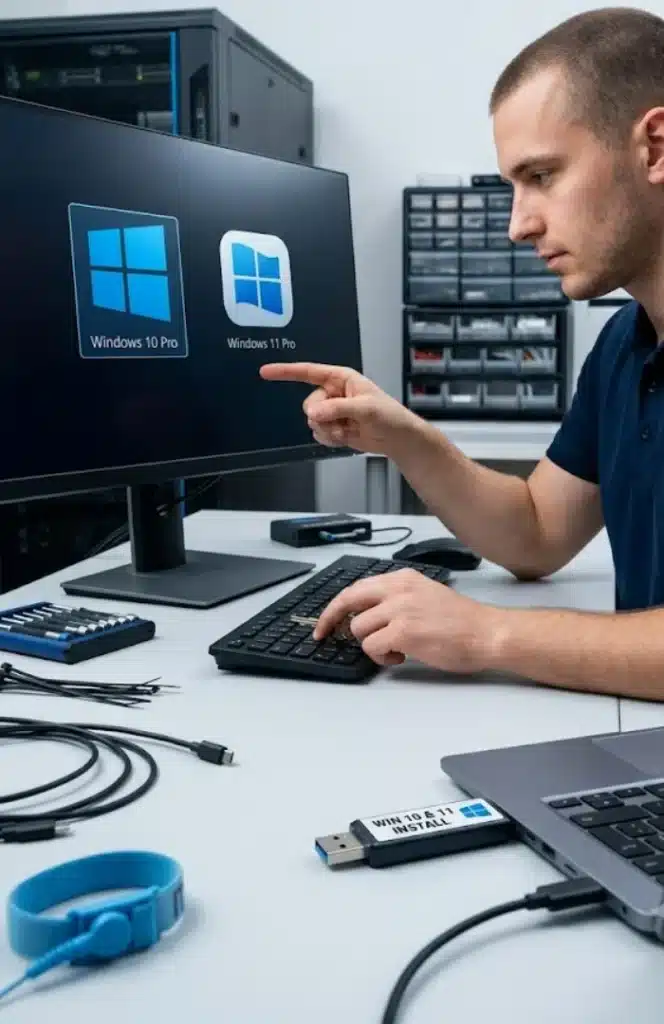
The job starts with your data and ends with a computer ready for work. Between those, we handle the install, activation and drivers, plus the settings people usually forget.
- Data copied before anything changesWe copy documents, desktop files, browser bookmarks and saved email to an external drive, then check the copy opens.
- Windows 11 readiness checkWe confirm TPM 2.0, Secure Boot and processor support before choosing Windows 11, so the install does not fail halfway.
- Clean install in UEFI modeWe wipe the old system partition, create a fresh partition layout and install from current official Microsoft media.
- Manufacturer drivers onlyWe download chipset, graphics, audio and network drivers from the maker's support site instead of relying on generic ones.
- Licence activationWe activate with the key stored in your firmware or your existing licence and confirm the status in Settings.
- Apps, printers and foldersWe reinstall Office, your browser and business apps, reconnect printers and return files to the same folders.
LOCAL EXPERTISE
Windows Installation for Every Kind of Dubai Business
Different businesses need this differently. We design around yours, and we are already working in your area.
Corporate Offices
Windows Installation for business machines, minimal downtime, on-site so your team keeps working.
Homes & Remote Workers
Windows Installation at your kitchen table, evenings and weekends included, most jobs done in one visit.
Startups & Agencies
Windows Installation for lean teams who cannot afford a machine being down for a week at a shop.
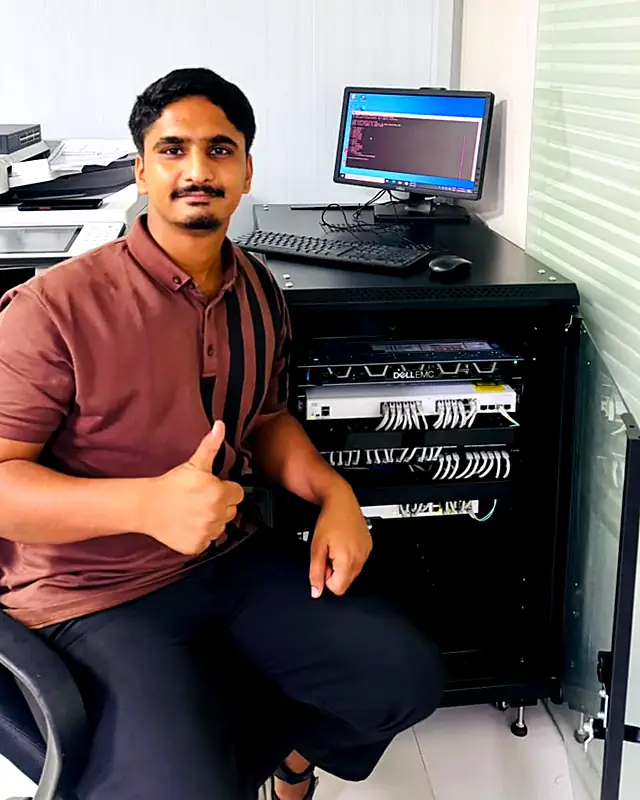
Muhammad AhsanFounder and certified IT engineerReplies on WhatsAppMeet your engineer
Meet Muhammad Ahsan, Your IT Engineer
Founder of Freelance IT Services Dubai
I have more than seven years of hands-on experience in IT and network security, network troubleshooting, server installation and server hardware, for offices and homes across Dubai.
When you call, you speak to me, and I am the one who comes to your office. I do the work in front of you, explain it in plain words, and your data never leaves your sight.
- Network security and firewalls
- Network troubleshooting and Wi-Fi
- Server installation and hardware
- Microsoft 365, email and cloud
Certifications
- CiscoCCNP Enterprise
- CiscoCCNA
- CiscoCCST Networking
- CompTIAServer+
- CompTIANetwork+
- CompTIAA+
- MicrosoftMD-102 Endpoint
- MicrosoftMS-900 Microsoft 365
- MicrosoftAZ-900 Azure
- VMwareVCP Virtualization
- ITIL4 Foundation
WHY TRUST US
Why Trust Us With Your Tech?
Three things you can count on at every visit, anywhere in Dubai.
Strict Data Privacy
All work happens in front of you. Your company data, drives, and files never leave your sight.
Certified Expertise
Muhammad holds Cisco CCNA and CCNP Enterprise, CompTIA A+, Network+ and Server+, Microsoft MD-102 and VMware VCP certifications, and he is the engineer who comes to you.
Transparent Pricing
We diagnose first and agree a flat-rate quote before any work starts. No hidden surprises.
THE DIFFERENCE
Why Businesses Switch to Us
A Typical IT Company
- Call centre queues; you never speak to the engineer
- Two or three day response windows
- Surprise call-out and travel charges
- A different junior technician every visit
- Upselling hardware and contracts you do not need
Freelance IT Services Dubai
- Direct WhatsApp and phone line to your engineer
- Same-day on-site dispatch across Dubai
- Flat-rate quote agreed before any work starts
- The same certified specialist, every time
- Honest advice: we tell you when a simpler setup wins
Technology We Work With Every Day
- Microsoft 365 & Windows Server
- Fortinet Network Security
- Synology & QNAP Storage
- Hikvision & UniFi Hardware
- Dell, HP & Lenovo Devices
Related Services
One Engineer.
All of Dubai.
We don't have a shop you visit. We come to you. From Business Bay boardrooms to Al Quoz warehouses and Palm Jumeirah villas, a certified IT engineer is dispatched to your door, usually the same day. Tap any area to explore the IT services we deliver there.
Areas we serve
Onsite IT Support in Every Part of Dubai
What Dubai Businesses Say About Us
Get a quote
Tell Us What Needs Fixing
Send a few details and we reply with a clear flat rate, usually the same day. Prefer to talk? Call or WhatsApp at any hour.
- No travel fees anywhere in Dubai
- Price agreed before any work starts
- Your details are only used to reply to you
HOW IT WORKS
How Our On-Site Service Works
You Reach Out
Call or WhatsApp with the problem or the plan. We triage in minutes and give you a realistic path forward.
We Deploy
A certified engineer arrives with the right tools and plan, at a time that suits your schedule.
Tested & Documented
Everything is verified, explained in plain language, and handed over with documentation you keep.
The process
How a Windows Installation Works
Every installation follows the same five steps, so nothing is missed and your files come through safely.
- 01
Check and back up
We check the hardware, confirm it meets the requirements for your version of Windows, and back up your documents, photos, emails and browser data before anything is changed.
- 02
Prepare the firmware and disk
We set up UEFI, Secure Boot and TPM where needed and choose the right partition scheme for your drive.
- 03
Install from genuine media
We install Windows 10 Pro, Windows 11 Home or Pro, or Windows Server from official Microsoft media and activate it with your licence.
- 04
Drivers and updates
We install the correct drivers for your model and apply all current security patches, so the machine is stable from day one.
- 05
Restore and hand over
We restore your files, set up email, printers and the apps you use, then walk you through the machine before we leave.
Problems we solve
Common Windows Problems a Fresh Install Fixes
Not every Windows fault needs a reinstall, but these ones often do. We check the machine first, then choose between a repair and a clean start.
- !It's stuck on the spinning dots at startup
Our fixCorrupted system files or a failed update leave Windows unable to finish booting. We try startup repair first, and if that fails we back up the drive and reinstall cleanly.
- !Blue screen with a different error each time
Our fixRandom stop codes often come from bad drivers or damaged system files, though faulty RAM looks the same. We test memory and disk first, then reinstall with clean drivers.
- !Windows 11 says my PC isn't supported
Our fixOften TPM or Secure Boot is only switched off in the BIOS, not missing. We turn them on where the hardware allows, and tell you plainly when it does not.
- !The Start menu and search stopped opening
Our fixA damaged user profile or broken system component can stop the Start menu working. We test with a new profile, and if the fault is system wide we move your data and reinstall.
- !My C drive is always full
Our fixYears of update leftovers, old restore points and a small system partition fill the drive. We clear what is safe, and when the layout itself is the problem we reinstall with sensible sizes.
QUESTIONS
Frequently Asked Questions
Will I lose my files during the installation?
No, backing up your data is the first step of every job, and restoring it is one of the last. Photos, documents, downloads, and desktop files all come back where they belong.
Do my programs survive a clean installation?
Programs need reinstalling (that’s part of what makes it clean), we reinstall your essentials as part of the job: Office, browsers, email, PDF tools, and the specific software you rely on. Licensed software needs its keys, which we help locate first.
Should I upgrade to Windows 11 or stay on 10?
Depends on your hardware and software: Windows 11 needs specific hardware support, and Windows 10’s end of support makes planning necessary. We check compatibility and advise honestly, including when a machine’s best years are behind it.
My Windows says it's not activated, can you fix that?
Yes, we supply and activate genuine licensing, correctly matched to the machine. On business machines especially, unlicensed Windows is a security and reliability risk worth fixing properly.
How long does the whole job take?
Typically two to four hours on-site depending on data volume and software list, you get the machine back the same visit, working and familiar.
Can you also make my slow computer faster without reinstalling?
Sometimes, but if slowness is the complaint, ask about our SSD upgrade first: fresh Windows plus an SSD is the combination that truly transforms older machines, and we’ll advise which your machine needs.
On-Site IT Solutions
We come to your office or home anywhere in Dubai.
Fast Response Times
Same day visits in most cases. Phone and WhatsApp open 24/7.
Certified Experts
One experienced engineer who knows your setup.
No Fix, No Fee
If we can't fix it, you don't pay for the visit.
Ready for Windows Installation?
Get a free assessment and a fixed-price quote today. One call starts it.