Your website is open for business 24 hours a day, seven days a week. But if it looks like it was built before smartphones existed, loads slower than a dial-up connection, or sends visitors straight to a competitor, it is quietly costing you money every single day. Running an office near City Centre Mirdif or along Airport Road? These warning signs look the same everywhere.
In this guide
- Sign 1: Your Site Takes More Than 3 Seconds to Load
- Sign 2: The Site Looks Wrong on a Phone
- Sign 3: Your Bounce Rate Is Uncomfortably High
- Sign 4: The Design Looks Visibly Dated
- Sign 5: Your Site Has No HTTPS (SSL Certificate)
- Sign 6: There Are No Clear Calls to Action
- Sign 7: Your Site Has Not Changed in Years and Enquiries Have Dropped
- DIY vs. Calling a Professional: An Honest Comparison
- How a Professional Website Redesign Actually Works
- What Does a Website Redesign Typically Cost?
- Ready to Fix Your Website? Let’s Talk in Mirdif
- FAQ
Sign 1: Your Site Takes More Than 3 Seconds to Load
A slow website kills enquiries faster than almost anything else. Google’s own Core Web Vitals guidelines target under 2.5 seconds for a page’s Largest Contentful Paint. Once you hit three seconds, a meaningful chunk of visitors simply leave. They do not wait.
Test your site right now with Google PageSpeed Insights (free, takes 30 seconds). A mobile score below 50 signals that your hosting, image sizes, or underlying code needs serious work. Often, the architecture is so outdated that rebuilding beats patching.
Sign 2: The Site Looks Wrong on a Phone
A non-responsive website, meaning it was built only for desktop and forces mobile users to pinch and zoom, is a critical problem. Mobile devices now account for the majority of web browsing, and Google indexes mobile-first by default.
Check your own site on an iPhone and Android right now. Do buttons overlap? Does text run off the screen? Is the phone number too small to tap? If yes to any of these, you are actively turning away customers who found you on their lunch break.
Sign 3: Your Bounce Rate Is Uncomfortably High
Bounce rate is the percentage of visitors who land on your site and leave without clicking anything. For a business website, above 70% is a warning. Above 80% is an alarm.
Three things usually cause high bounce rates: the page loads too slowly, the design looks untrustworthy, or the content does not match what visitors expected. All three are redesign problems, not copy problems. You can write brilliant text, but if the page looks broken or dated, nobody reads it.
Sign 4: The Design Looks Visibly Dated
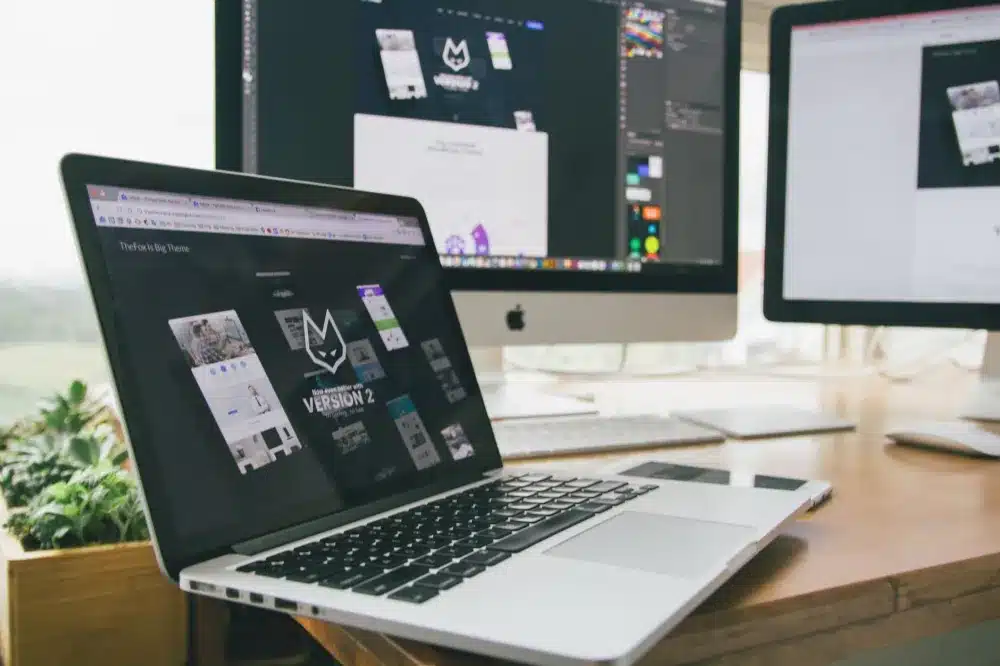
Design trends move quickly. A website from 2016 or even 2020 can look noticeably old to modern eyes. Cluttered layouts, tiny text, heavy drop shadows, auto-playing audio, or Flash-based animations all signal that your business may not be keeping pace.
This matters because trust forms in milliseconds. Stanford research has consistently shown that design is the primary factor people use to judge a website’s credibility. For a trading company, real estate office, clinic, or retail shop in Dubai, that first impression often decides whether someone calls or clicks away.
Our professional website design service in Dubai covers full redesigns built to current standards, with clean responsive layouts, fast-loading pages, and clear calls to action that actually convert.
Need a Website Redesign in Mirdif?
We assess your current site, rebuild it for speed and mobile, and hand it back ready to generate real enquiries.
Sign 5: Your Site Has No HTTPS (SSL Certificate)
HTTPS is the padlock icon in the browser bar. It means data between your visitor and your website is encrypted. An SSL certificate is what makes that padlock appear. Without it, Chrome and other modern browsers show a prominent “Not Secure” warning.
That warning kills enquiries. Most visitors, especially those entering a name, phone, or email into a contact form, will leave instantly. Google also confirmed years ago that HTTPS is a ranking signal. Running an HTTP-only site in 2026 is like a shop with a broken front sign.
For businesses handling customer data, you may have compliance obligations depending on your industry and free zone status. Requirements vary, so a professional assessment is sensible rather than relying on a generic checklist. What is certain is that securing your site is not optional.
Sign 6: There Are No Clear Calls to Action
A call to action is a simple instruction telling visitors what to do next: “Call us now.” “Request a quote.” “Book a consultation.” Without these, visitors who are ready to engage simply do not know where to go. They close the tab.
Walk through your site right now as a potential customer. Within the first mobile screen, is there an obvious button or phone number? After reading your homepage, do they know what to do next? If the honest answer is “not really”, your site is losing money every single day.
This ties directly to having a properly structured WordPress website. A good WordPress website design built by an experienced developer plans the user journey from arrival to enquiry, placing CTAs where they convert best.
Sign 7: Your Site Has Not Changed in Years and Enquiries Have Dropped
If your site content has not been updated in two or more years, Google’s crawlers notice. Fresh, relevant content signals quality. Stale pages with outdated services, old phone numbers, or expired promotions send the opposite message. They also frustrate real visitors who find information that no longer applies.
More tellingly, if you remember when the site used to generate calls and it no longer does, the site has not changed but the internet around it has. Competitors have invested in redesigns. Google has updated its algorithms multiple times. Your site that “used to work” now ranks lower, loads slower by comparison, and looks older than before.
DIY vs. Calling a Professional: An Honest Comparison
Some website fixes you genuinely can do yourself. Others carry real business risk if done wrong. Here is an honest breakdown.
| Task | DIY? | Risk if Wrong | Verdict |
|---|---|---|---|
| Updating text content | Yes | Low | DIY fine |
| Adding SSL certificate | Possible | Site goes offline if misconfigured | Pro recommended |
| Full visual redesign | Only with experience | Broken layout, lost rankings | Hire a pro |
| Speed optimisation | Plugins help, but limited | Site crash, data loss | Pro for real gains |
| Migrating to new hosting | Risky | Data loss, prolonged downtime | Always use a pro |
| Setting up contact forms | Yes (basic) | Spam, missed leads | DIY or pro |
The pattern is clear. Cosmetic, content-level changes carry low risk. Anything touching your hosting, code, database, or SEO structure carries serious downside if it goes wrong. A site migration done incorrectly can wipe out years of Google rankings. A hosting misconfiguration can take your site offline for days. For a business that cannot afford to be invisible online, those are not acceptable risks.
How a Professional Website Redesign Actually Works
A professional redesign is not just making things look pretty. It follows a clear process that protects your existing traffic, migrates your content safely, and delivers a finished site that performs measurably better.
Worried Your Site Is Costing You Leads?
Tell us what your current site does wrong and we will give you an honest assessment and a clear quote for fixing it properly.
What Does a Website Redesign Typically Cost?
Costs depend on the number of pages, design complexity, whether e-commerce is needed, and the level of SEO work involved. A straightforward five-to-ten-page business website for a small office or retail shop costs significantly less than a multi-product e-commerce platform. A quick conversation where you describe what you need gives you an honest figure.
What we can say honestly is that the cost of a redesign is almost always less than the revenue being lost by a site that does not convert. A clinic near Rashidiya that misses three appointment enquiries a week because its contact form is broken is losing real money, month after month.
Costs for ongoing support, hosting, and maintenance are separate from the build cost and depend on what level of cover suits your business. An IT AMC contract can cover your website alongside your office IT under one predictable annual fee, which many SMEs find easier to budget than unpredictable one-off calls.
Ready to Fix Your Website? Let’s Talk in Mirdif
If two or more of the seven signs above sound familiar, your site needs attention now, not next quarter. Freelance IT Services Dubai is based in Mirdif and delivers professional website design and development services for businesses across the area, including Al Warqa, Al Mizhar, Rashidiya, and Festival City. Whether your office sits a short drive from Uptown Mirdif or along Airport Road, we come to you, assess what you have, and give you a clear plan and honest quote.
The same service is available across other Dubai areas including Al Muraqqabat, Dubai Hills, Motor City, Dubai Silicon Oasis, Arabian Ranches, Al Muteena, and beyond. Wherever your business operates, we can help.
Your website should be working as hard as you do. If it is not, let us fix that.
Book Your Website Redesign Consultation in Mirdif
Get an honest site audit, a clear redesign plan, and a fixed quote. No pressure, no jargon, just practical help from a local team that knows Dubai business.